


How to Check the Status of Your Battery Order
We email tracking details as soon as your order ships, so you can follow the parcel directly with the carrier. Knowing where a package stands helps you plan the repair or project that is waiting on the new battery.
- A shipping confirmation email with tracking goes out once your order leaves our warehouse.
- Use the tracking number on the carrier site for the most current scan.
- Check your spam folder if the email does not show up within a day.
- Contact Us is the quickest route when tracking stalls or looks wrong.
Where your tracking information comes from
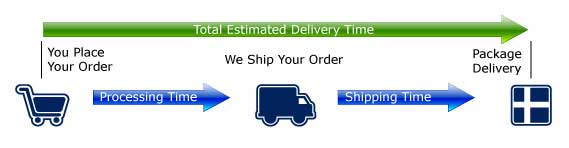
As soon as we hand a package to the carrier, we send a shipping confirmation by email that includes a tracking number. That message is the starting point for every status check, so keep it handy. Orders ship from our US warehouse in Ontario, California, and most reach US addresses within a typical 2-10 business day window.
If you typed how do I track my replacement battery order into a search box, the answer is simpler than it sounds. Copy the tracking number from that email and paste it into the carrier tracking page for live scans. Scans can lag a few hours behind real movement, especially right after dispatch, so an unchanged page for a short while is normal.
What the common status labels mean
A label scanned means the carrier has the parcel but it may not have moved yet. In transit indicates it is traveling between facilities, while out for delivery means it should arrive that day. Delivered closes the loop, though a scan can appear slightly before the box reaches your door, so check the mailbox or porch before worrying.
Weekends and holidays usually pause scans, and ground transit for lithium packs follows US DOT rules, so timing can stretch a little. Free and standard shipping options shown at checkout set the pace. If a status has not changed for several business days, that is the moment to reach out.
Before you contact support
Gather your order number, the email address used at checkout, and the tracking number before writing in; that lets us look things up fast. Double-check the shipping address on the confirmation too, since a wrong suite or ZIP code is a common cause of delay. Secure checkout with SSL encryption, PayPal, WorldPay, and major cards keeps your original details protected.
The Contact Us and Payment and Shipping pages cover most order questions, and our Battery FAQs explain shipping and returns in plain language. Having those facts ready before you write turns a vague worry into a quick, concrete answer from our team.
Getting a delayed order back on track
Every order is backed by a 30-day money-back guarantee and a 1-year warranty, so a delayed or wrong item is never a dead end. If a package is confirmed lost, we will help sort out the next step. Clear tracking and a responsive team make ordering the correct replacement battery a low-stress experience.
Find the right replacement battery
Browse our replacement batteries and chargers, order the right pack for your model, and follow every step with email tracking.
Frequently asked questions
I never got a tracking email. What now?
First check your spam or promotions folder, since automated messages sometimes land there. Confirm the email address you entered at checkout was correct. If nothing appears within a day of ordering, use the Contact Us page and we will resend the details.
Can I change the address after ordering?
Reach out as early as possible through Contact Us, because changes get harder once a label is printed. Have your order number ready. An accurate address at checkout is the best way to avoid delays with ground shipping.
Does tracking update on weekends?
Scans often pause on weekends and holidays, so a quiet page then is normal. Most movement happens on business days. If there is no change across several business days, contact us and we will check with the carrier.
Related reading
Last reviewed by the batteries-company.com editorial team. Brand and model names are used to describe compatibility only; replacement packs are aftermarket products.
Editorial source: Q&A Collection 024 — “How do I check order status” (FAQ #12). See the full collection-to-article map.

 Warehouse address: