


What a FET Does Inside a Smart Battery
A FET is a field-effect transistor, a tiny switch that sits in series with the cells. If you have wondered what is a FET in a smart battery, it is the part that opens the circuit when something goes wrong, and that protection is worth having in any replacement pack.
- A FET is a voltage-controlled switch that opens and closes a circuit electronically.
- Smart battery packs use a pair of FETs to disconnect the cells on a fault.
- The switch guards against shorts, overcurrent, overcharge, and deep discharge.
- Working protection electronics are as important as cell capacity in a replacement.

The Switch in Plain Terms
A field-effect transistor, or FET, is a semiconductor switch with no moving parts. Instead of a mechanical lever, an electric field controls whether current can pass through a tiny channel inside it, so a small control signal can open or close a much larger current path almost instantly. That is why these parts show up anywhere a circuit needs to be switched quickly and reliably for years.
For a battery, the useful trait is that a FET wastes very little power when it is on and stops current almost completely when it is off. Engineers pick a part by how much current it can carry and how well it handles the heat that comes with a surge. Think of it as a very fast, very durable gate on the wire between the cells and the tool.

Why a Smart Battery Needs One
A smart pack does more than store energy; it watches itself. Its protection circuit monitors current, cell voltage, and temperature, and a pair of FETs sitting in series with the cells is what lets that circuit actually cut the flow. If something draws too much, the FETs open and the pack goes quiet before the cells or the tool are damaged.
Here is a concrete example. A cordless drill jams and the motor suddenly asks for a big spike of current. The protection board sees that spike and switches the FETs off in a fraction of a second, so the pack shuts down instead of overheating. Clear the jam and the circuit closes again, with no fuse to replace and no drama.
What It Guards Against
The list is short but important: short circuits, overcurrent, charging past a safe voltage, and discharging so far that the cells are harmed. Over-temperature is often on the same watch list. In each case the FETs are the muscle that carries out the decision, because a monitoring chip can sense a fault but cannot stop several amps of current by itself.
This is also why a pack that has been dropped or soaked should be treated with suspicion. If the protection board or its FETs are damaged, the pack may still charge yet no longer cut off when it should. Swapping in a fresh, fully compatible pack is cheaper than guessing about a safety circuit you cannot see.
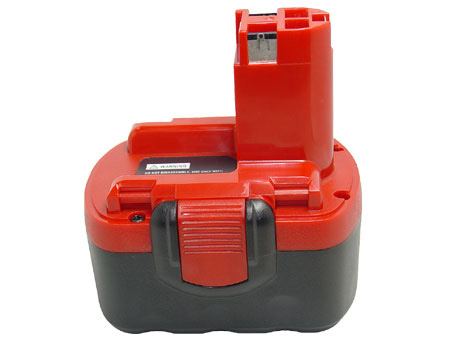
What to Look for in a Replacement
You will never see the FETs from the outside, so buy from the signals you can check. Look for a brand new, 100% compatible aftermarket replacement battery pack with intact smart-battery electronics, and match the part number to your tool. Every pack we sell carries a 30-day money-back guarantee and a one-year warranty, and our Battery FAQs can explain what the protection board does.
Find the right replacement battery
Browse a brand new compatible replacement battery pack with working protection electronics and order with confidence.
Frequently asked questions
Does every battery have a FET?
Simple packs may rely on a basic fuse or a thermal cutout, but smart battery packs almost always use FETs because the protection circuit needs a switch it can control. Laptop and cordless tool packs with fuel gauges are the common examples. A bare cell on its own has no such electronics.
Can a bad FET be repaired?
In practice, no. The FETs are soldered onto the protection board inside a sealed pack, and a failed part usually means the board or the cells have been stressed too. Replacing the whole pack is the safe, sensible route, and a compatible aftermarket one keeps the protection features you paid for.
Why did my tool suddenly stop mid-cut?
A current spike or a brief over-temperature can trip the protection FETs, which cut power to protect the cells. Let the pack rest, clear any jam, and try again. If it happens repeatedly on light work, the cells or the board may be tired, and a fresh pack is worth considering.
Related reading
Last reviewed by the batteries-company.com editorial team. Brand and model names are used to describe compatibility only; replacement packs are aftermarket products.
Editorial source: Q&A Collection 114 — “What is a FET” (FAQ #70). See the full collection-to-article map.

 Warehouse address: