


How a Fuel Gauge IC Tracks Your Battery Charge
A fuel-gauge IC is the tiny chip inside a battery pack that estimates how much charge is left. For US shoppers, that estimate drives the percentage on your laptop, so a replacement laptop battery with a well-matched gauge gives readings you can actually trust.
- The fuel-gauge IC lives inside the battery, not the laptop.
- It tracks current flow, temperature, and stored cell characteristics over time.
- The chip reports remaining mAh and percent of full charge.
- A full charge helps a new gauge calibrate its estimates.
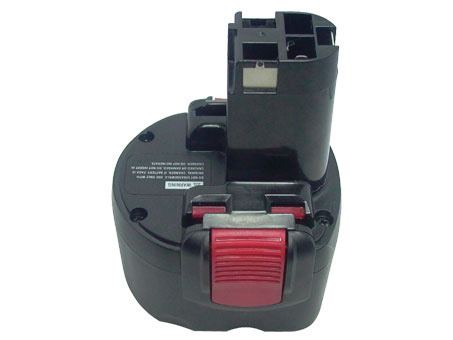
The chip behind the battery icon
If you are curious how does a laptop battery fuel gauge work, the answer sits inside the pack rather than the computer. The little bar or percentage you see on screen is calculated by a dedicated integrated circuit on the battery's circuit board, then sent to the device through the connector. That is why a pack can report its own remaining charge.
A concrete example makes it clear. Imagine a pack that has been used on a cold morning and then warmed up indoors: the available charge changes with temperature, and the gauge adjusts its estimate to match. It stores cell characteristics and application parameters in small on-chip memory, then reports a conservative figure for how much charge can safely be drawn right now.

What the gauge actually measures
The chip watches the current flowing in and out through a sense resistor, tracks temperature with a thermistor, and factors in the discharge rate. From those inputs it estimates remaining capacity in milliamp hours and as a percentage of a full charge. Because it aims to be cautious, the number it reports is usually a safe estimate rather than an exact laboratory measurement.
This is also why a battery percentage can seem to jump or lag at times. The gauge is constantly recalculating as conditions change, and it may need a full cycle to settle after a pack sits in storage. A brief odd reading early on is normal and usually clears with ordinary use.
Why the gauge matters when you replace a pack
When you fit an aftermarket replacement battery pack, its gauge has to be compatible with the device that reads it. A mismatched chip can leave a laptop showing zero percent on a full pack, or shutting down with charge still in the cells. That is one reason to buy by exact model and part number instead of picking a pack that merely looks similar.
A fresh pack often needs one complete charge and a normal cycle before the readings stabilize, since the gauge is learning the new cells. If the percentage stays wildly wrong after that, check the fit and reach our support team. Accurate readings are part of what makes a replacement feel like the original.
A quick way to keep it accurate
Give any new pack a full first charge, then use it normally for a cycle so the gauge can calibrate. Avoid repeated deep drains just to chase a perfect number, since that ages the cells faster than it helps. The Battery FAQs page covers more charging habits if you want to read further.
Find the right replacement battery
Browse our compatible replacement packs with matched fuel gauges for battery readings you can rely on.
Frequently asked questions
Is the fuel gauge part of the laptop or the battery?
It is inside the battery pack, on the small circuit board with the other monitoring chips. The laptop simply displays the figure the pack sends through the connector, which is why a different pack can change how the percentage behaves.
Why does my new battery show the wrong percentage?
A fresh gauge needs a full charge and a normal cycle to learn the new cells, so an odd reading at first is common. If it stays wrong after that, reseat the connector and contact our team, since a mismatch in the electronics can also cause it.
Can a replacement pack damage my laptop's readings?
A compatible pack is built to report charge the same way the original does, so the readings should feel familiar. Problems usually come from a mismatched model or part number, which is why confirming compatibility before you order is the best safeguard.
Related reading
Last reviewed by the batteries-company.com editorial team. Brand and model names are used to describe compatibility only; replacement packs are aftermarket products.
Editorial source: Q&A Collection 118 — “What is the fuel-gauge IC” (FAQ #74). See the full collection-to-article map.

 Warehouse address: