


How to Replace a Garmin StreetPilot C340 Battery Step by Step
The StreetPilot line is older and built differently from the slim Nuvi units, so a replacement starts with the right part number. This guide covers the symptoms, the safe way in, and how to confirm your C340 holds a charge again.
- A tired C340 battery means a dim screen and shutdowns even on short trips.
- StreetPilot c3xx units use a different shell and pack than the newer Nuvi family.
- Confirm the model and battery part number printed on the label under the unit.
- Recycle the old Li-ion cell and test the new one on a full day of driving.
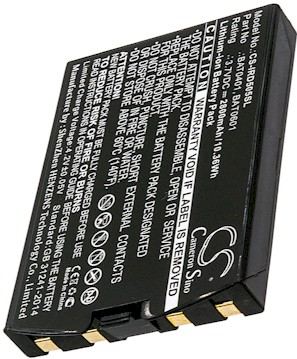
How an aging Garmin StreetPilot C340 battery behaves
The classic sign is a unit that now dies minutes after you unplug it, even though it once ran for hours. You might see the backlight dim, lose satellite lock, or watch the device reboot when you hit a bump. Those quirks come from a Li-ion pack that can no longer hold a steady voltage, not from the maps or the software.
Before ordering, flip the unit over and read the model and part number on the label. The StreetPilot c3xx series is a rugged, older automotive design with a battery arrangement unlike the thin Nuvi line, so a pack that fits a Nuvi will not necessarily fit here. Match the exact number against the compatibility list on the product page.

Getting inside the StreetPilot case without damage
Set the unit face down on a soft cloth and gather a small Phillips screwdriver plus a plastic pry tool. Remove any rubber feet or covers hiding the case screws, then back them out into a dish. Power the device fully off and disconnect the mount and charger first, since Li-ion contacts should never be handled live.
Work the pry tool around the seam until the two halves separate, lifting gently in case a ribbon cable is still attached. Unplug the old cell by pulling on its connector, not the wires, and note the cable routing. Set the new pack in the same bay, press the connector home, and close the shell with the original screws.
Charging and testing the replacement pack
Give the fresh cell one full, uninterrupted charge before you judge its performance. A new Li-ion pack usually needs a complete cycle before the fuel gauge reads accurately. Then take the StreetPilot C340 on a normal drive and watch the battery icon; a healthy pack should hold steady through a full day of use.
For anyone searching where can I find a Garmin StreetPilot C340 replacement battery, the answer is a product page that names this exact model and its matching part number. Heat is the enemy of any Li-ion pack, so keep the unit off a sunny dashboard and recycle the old cell at a rechargeable drop-off.
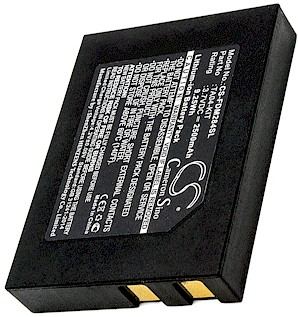
When to reach out for help
If the connector will not match, the shell will not close, or the unit still dies early after a full charge, stop and contact us through the Contact Us page. We will check the part number against your model, and every order is protected by a 30-day money-back guarantee and a 1-year warranty.
Find the right replacement battery
Browse compatible replacement battery packs and chargers for the Garmin StreetPilot C340, and get this trusted navigator back on the road.
Frequently asked questions
Is the StreetPilot C340 battery the same as a Nuvi battery?
No, the two families use different packs. StreetPilot c3xx units are older automotive designs with their own shell and connector layout, while Nuvi models are slimmer and newer. Always match the part number on your original cell to the compatibility list before you buy.
Do I need special tools to open the case?
A small Phillips screwdriver and a plastic pry tool cover most of the job. Skip metal spudgers, since a slip can scratch the screen or bridge a contact. A soft cloth, a dish for screws, and good light make the rest of the work straightforward and safe.
Should I fully drain a new Li-ion pack?
One complete charge when you first install it is enough to settle the fuel gauge. After that, ordinary top-ups are fine and repeated full drains do a Li-ion pack no favors. If the battery percentage behaves oddly after two cycles, our team can help through the Contact Us page.
Related reading
Last reviewed by the batteries-company.com editorial team. Brand and model names are used to describe compatibility only; replacement packs are aftermarket products.
Editorial source: Q&A Collection 023 — “How do I replace the Garmin StreetPilot C340 battery” (FAQ #119). See the full collection-to-article map.
 Warehouse address: