

How to Replace the Palm Tungsten E Battery
A Palm Tungsten E that loses its charge overnight usually needs a fresh compatible cell, not a new handheld. For US owners, a brand new replacement pack is a simple way to keep an organizer full of contacts and notes running without losing the data you rely on.
- Sync or back up your Palm Tungsten E data before you open the case.
- A failing cell drains fast and may reset the date and time.
- Use a small Phillips driver and a plastic pick on the rear screws.
- Give the new pack a full charge, then test it for a full day.
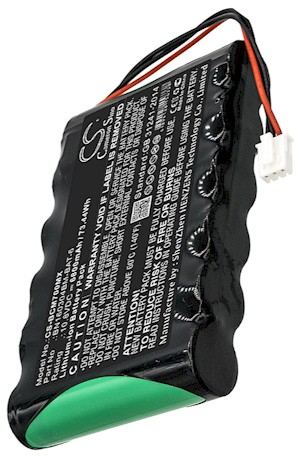
Back up your data and confirm the model
If you are searching for how to replace a Palm Tungsten E battery, begin by syncing the handheld to your computer so contacts and memos are safe. Handhelds in the Palm family can lose stored settings when the power source is disturbed, so this step is worth doing first. Then check the model name and the part number on the old cell before you order anything.
A worn cell usually shows up as a device that works on the charger yet dies soon after, or one that forgets the date and time. You may also notice the backlight dim early or the unit shutting down mid-entry. Set a clean, well-lit table with a small Phillips screwdriver, a plastic pick, and a cup for the tiny screws, and power the Palm Tungsten E fully off.

Opening the handheld without damaging it
The Palm PDA line uses a compact shell held together by a few small screws, often hidden under rubber feet or a label on the back. Peel those gently, remove the screws, and use the plastic pick to release the seam rather than prying with metal. Lift the rear cover slowly, since a short ribbon or wire lead may still connect the two halves.
Once inside, photograph how the old cell and its connector sit before you disconnect anything. Grip the plug itself, not the wires, and ease the cell out of its bay without bending the board. Compare the shape and the printed number on the old pack with the replacement so you know the fit is right before closing the shell.
Fitting the new cell and charging it fully
Press the aftermarket replacement battery pack into the bay in the same orientation and seat the connector until it is snug. The Li-ion battery pack should lie flat with no pressure on the screen cable. Refit the cover, tighten the screws evenly, and leave the Palm Tungsten E on its charger until it reaches a full charge before you sync it again.
Replacement cells commonly ship with a low charge for safe transport, so that first full charge sets the baseline. Afterward, use the handheld on battery power for a normal day and note how long it lasts. If it still fades quickly, reopen the case and check the connector, or contact our support team through the Contact Us page.
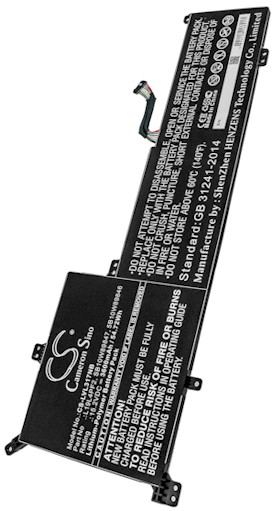
Recycling, support, and getting back to work
Drop the old cell at a US rechargeable battery collection point rather than the trash, and tape the connector first. If the shell will not close cleanly or the handheld stays dark after charging, stop and let our team help instead of forcing it. A compatible replacement pack and the right charger keep the Palm ready for daily notes.
Find the right replacement battery
Browse compatible replacement battery packs and chargers to bring your Palm handheld back to everyday use.
Frequently asked questions
Will I lose my saved data during the swap?
You should not, but syncing first is the safe move, because disturbing the power source can reset settings on some handhelds. Back up contacts and memos to your computer, then restore them after the new cell is charged, and you will pick up right where you left off.
How do I know the Palm Tungsten E needs a new cell?
The clearest clues are short runtime, a backlight that dims early, and a unit that only works while plugged in. If the handheld also forgets the date and time after sitting overnight, the cell is almost certainly worn. A fresh compatible pack restores normal cordless use.
Can I use the original charger with a replacement pack?
A compatible replacement is designed to charge through the handheld's normal cradle or adapter, so extra equipment is rarely needed. Confirm the voltage matches the original cell before buying, and give the new pack one complete charge so the electronics can report runtime accurately.
Related reading
Last reviewed by the batteries-company.com editorial team. Brand and model names are used to describe compatibility only; replacement packs are aftermarket products.
Editorial source: Q&A Collection 030 — “How do I replace the Tungsten E battery” (FAQ #125). See the full collection-to-article map.

 Warehouse address: