


A Straightforward Guide to Zire 71 Battery Replacement
A Palm PDA that will not hold a charge tends to lose its date, time, and even saved entries, which makes a tired pack more than a small annoyance. This guide shows how to confirm the Zire 71, back up your data, and fit a fresh cell safely.
- A weak PDA battery often resets the clock and risks unsynced contacts or notes.
- Sync or back up your PDA data before opening the case or disconnecting power.
- This Palm handheld uses a stylus and a compact internal Li-ion cell.
- After the swap, run a full charge and confirm the unit survives a normal day.
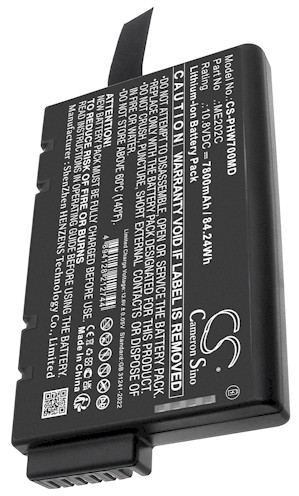
Signs the Palm handheld battery is fading
A PDA gives you a different set of clues than a GPS unit. The Zire 71 may forget the date and time after sitting overnight, shut down with plenty of charge shown, or refuse to sync with your computer. Because these handhelds keep contacts and notes in memory, a dying battery can put unsaved data at risk, which is why acting early matters.
Confirm the model on the label on the back of the unit and note the part number on the old cell. Palm's Zire line differs from the older iPAQ-style Pocket PC handhelds and from later Treo phones, so the packs are not interchangeable. Match your exact number to the compatibility list before ordering an aftermarket replacement battery pack.

Protecting your data before the swap
Before a single screw turns, sync the handheld to your computer or a memory card so contacts, calendar, and notes are safe. Power the handheld fully off and remove the stylus and any sync cable from the work area. Set it face down on a soft cloth with a small Phillips screwdriver and a plastic pry tool within reach.
Ease the back cover free and look for a small connector joining the old cell to the board. Some Palm handhelds use a plug, while others have leads that are soldered in place; if yours is soldered, stop and ask our support team rather than risking the board. Unplug by the connector body, never by tugging the wires.
Fitting the new pack and checking real runtime
Seat the replacement cell in the same bay, route its lead the way the original ran, and press the connector fully home before closing the cover. Give the unit a complete first charge, then use it for a normal day of notes and syncing to see how long it lasts. A healthy pack should carry you through without a reset.
If you are comparing options for where to buy a Zire 71 replacement battery in the USA, pick a listing that names this exact Palm model and its part number. Recycle the old Li-ion cell at a rechargeable drop-off, since these packs do not belong in household trash.
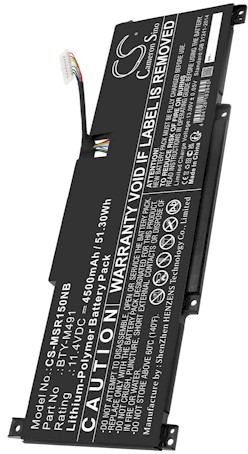
When a PDA battery job needs a pro
If the leads are soldered, the connector will not seat, or the handheld still loses its settings after a full charge, pause and reach us through the Contact Us page. We can confirm the right part number for your Zire 71, and your purchase is covered by a 30-day money-back guarantee and a 1-year warranty.
Find the right replacement battery
Explore compatible replacement battery packs and chargers for the Palm Zire 71, and keep your contacts and notes powered all day.
Frequently asked questions
Will this battery fit other Palm models?
Usually not, so check the part number first. The Zire handhelds, iPAQ-style Pocket PCs, and Treo phones each use their own cell and connector layout. The compatibility list on each product page tells you exactly which models a given pack supports.
Do I really need to back up before replacing?
Yes, because many Palm handhelds rely on the battery to keep memory alive. A full sync to your computer or a memory card takes only a moment and protects contacts, calendar entries, and notes. Once the new pack is charged, you can restore everything and pick up where you left off.
What if the battery leads are soldered in?
Stop and ask our support team before going further. Soldered connections are not a simple plug-in swap, and heating a board by mistake can damage the handheld. Send us your model number through the Contact Us page and we will help you decide the safest next step.
Related reading
Last reviewed by the batteries-company.com editorial team. Brand and model names are used to describe compatibility only; replacement packs are aftermarket products.
Editorial source: Q&A Collection 031 — “How do I replace the Zire 71 battery” (FAQ #126). See the full collection-to-article map.
 Warehouse address: