

A Careful Guide to a Tungsten E2 Battery Swap
A Palm Tungsten E2 that drains overnight or will not hold a charge has a spent internal cell, and a fresh pack solves it. If you have been searching for how to replace a Palm Tungsten E2 battery, this guide covers the small screws and careful steps involved.
- Back up your Palm PDA data before opening a Tungsten E2 case.
- The Tungsten E2 uses a small internal cell behind a screw-fastened back.
- A compatible Li-ion battery pack restores a Tungsten E2 without replacing the whole handheld.
- Recycle the old cell and give the new one a full first charge.
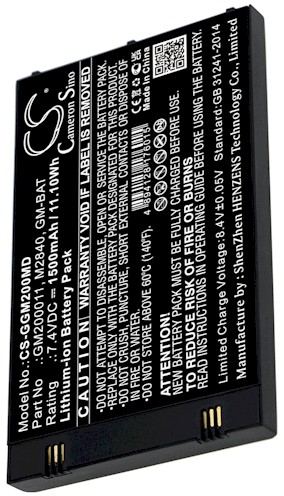
Protect Your Data, Then Confirm the Model
Before a single screw turns, sync the Tungsten E2 to your computer or cradle and back up everything. Palm handhelds keep contacts and notes in memory, and a battery swap is a good excuse to make a safe copy. Then check the label on the back for the exact Tungsten E2 name and part number. That pairing is what lets you order the correct cell the first time.
Gather a small Phillips screwdriver, a plastic opening pick, and a clean, well-lit desk. Set the stylus aside so it does not roll under the unit, and keep a tiny cup for the screws. Power the Tungsten E2 down fully. These Palm PDA bodies are compact, so an uncluttered workspace is the difference between a smooth job and a lost screw.

Open the Handheld and Swap the Cell
Undo the rear screws and gently separate the two halves with the plastic pick, easing around the seam. Inside the Tungsten E2 the cell sits against the board with a short lead and a small plug. Lift that connector straight off instead of tugging the wires, then free the old pack from any light adhesive. Note exactly how it was oriented before you lift it out.
Set the new pack in the same direction, press the plug home until it sits flat, and guide the lead into its groove. Close the case and tighten the screws evenly without forcing them. Give the Tungsten E2 a complete charge before you sync or load anything heavy.
Test, Observe, and Ask for Help If Needed
Expect the fresh cell to reach its best runtime after two or three complete cycles, so give the Tungsten E2 a normal day of notes, calendar, and syncing before judging it. Watch that it wakes from sleep cleanly and holds a charge overnight. If it still fades fast, message the team through Contact Us with the model and part number rather than forcing another fix.
The old cell belongs at a battery recycling drop-off, not in household trash, because lithium packs need a proper waste stream. Browse the compatible replacement packs and chargers listed for the Tungsten E2, and use the part number you copied to confirm the fit before ordering.
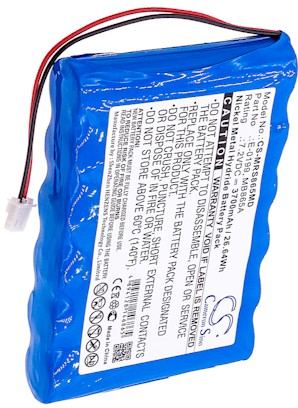
Why the Exact Match Matters
Palm PDA models often look alike while using different internal cells, so a Tungsten E2 pack is not a universal fit. Every replacement we list is brand new and 100% compatible, backed by a 30-day money-back guarantee and a one-year warranty. Matching the part number keeps a small repair small.
Find the right replacement battery
Browse replacement battery packs and chargers for the Tungsten E2 and bring your Palm handheld back to daily use.
Frequently asked questions
Will I lose my data during the swap?
A careful battery change on a Tungsten E2 should leave your information intact, but a sync and backup first is smart insurance. Palm handhelds store contacts and notes in memory, and copying them to a computer takes a minute. Do that before the case ever opens.
What tools does a Tungsten E2 need?
A small Phillips screwdriver and a plastic opening pick handle almost the whole Tungsten E2. Avoid metal pry tools near the board, keep a cup for the tiny screws, and work on a clean, bright surface. No soldering or special electronics gear is required for a standard swap.
How do I confirm the right part number?
Turn the Tungsten E2 over and read the small rear label for the full model name and the cell part number. Compare both against the compatibility notes on the replacement listing. If anything is unclear, send those details to our team through Contact Us and we will help verify.
Related reading
Last reviewed by the batteries-company.com editorial team. Brand and model names are used to describe compatibility only; replacement packs are aftermarket products.
Editorial source: Q&A Collection 029 — “How do I replace the Tungsten E2 battery” (FAQ #124). See the full collection-to-article map.

 Warehouse address: