


Replacing the Garmin Nuvi 610 Battery: A Careful Guide
The Garmin Nuvi 610 is an older wide-screen navigator that can still serve well on a fresh pack. This guide starts with pinning down the exact model, then walks through the swap and a sensible first charge.
- The 610 is an early wide-screen Nuvi without a built-in traffic receiver.
- Lookalike Nuvi models take different packs, so read the label first.
- A short runtime and random reboots point to a tired Li-ion cell.
- Recycle the old pack and verify the new one on a full day drive.
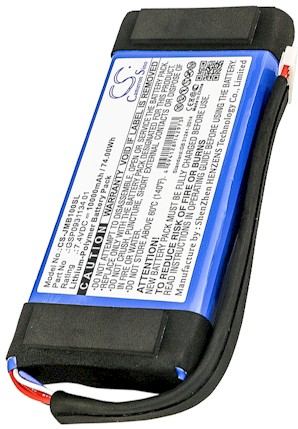
Confirm the model before you buy
The 6xx Nuvi family has several near-identical siblings, and a battery that fits one may not fit another. Turn the unit over, read the model and part number on the label, and compare both with the compatibility list on the product page. The 610 lacks the T suffix that marks a built-in traffic receiver, which is a quick way to tell it apart.
This unit belongs to Garmin's slim Nuvi line rather than the chunkier older StreetPilot or the PDA-style iQue, so the internal layout is different from those. Take a photo of the label before you order anything. That single image removes most of the uncertainty when the replacement pack arrives.

Signs this Nuvi needs a new cell
A fading pack usually announces itself gradually. The unit may start lasting only a short errand instead of a whole drive, dim its screen, or reboot when the car hits a bump. It might also lose satellite lock or refuse to power on unless the charger is connected. Those are the familiar symptoms of a Li-ion cell that no longer holds a steady charge.
Set up on a soft, well-lit surface with the unit powered off and unplugged. A small Phillips screwdriver, a plastic pry tool, and a dish for the screws cover the job. Since the pack sits inside a slim housing, work slowly at the seam so the case clips do not snap, and keep metal tools away from the exposed contacts.
Swapping the cell and checking runtime
Back out the case screws and ease the shell apart, watching for a ribbon cable. Unplug the old cell by its connector rather than pulling the wires, then seat the new pack in the same recess and route the lead the way it was. Close the housing, give the unit a full first charge, and take it on a normal drive to see how long it runs.
If you are deciding where to buy a Garmin Nuvi 610 replacement battery online, pick a listing that names this exact model and its part number. Recycle the old Li-ion cell at a rechargeable drop-off, and keep the navigator off a hot dashboard to protect the new pack.
When to get a hand
If the connector does not match, the case will not close, or the unit still fades after a full charge, stop and reach us through the Contact Us page. We can confirm the correct part number for the 610, and every order is covered by a 30-day money-back guarantee and a 1-year warranty.
Find the right replacement battery
Browse compatible replacement battery packs and chargers for the Garmin Nuvi 610, and get this navigator road ready again.
Frequently asked questions
Is the 610 battery the same as the 610T?
Not necessarily, so check the part number rather than assuming. The T marks a traffic-enabled variant, and internal packs can differ between close siblings. Match your exact model against the compatibility list, or send us the number through the Contact Us page.
How long should a fresh pack run?
A healthy replacement should carry a full day of normal navigation. Give it one complete first charge so the gauge reads accurately, then judge it on a typical drive. Heat and heavy screen brightness shorten runtime, so keep the unit shaded when parked.
Can I fit a higher-capacity pack?
Only if the voltage, chemistry, and connector match and the case has room. A larger mAh figure can add runtime, but never substitute a different voltage. Check the compatibility list on the product page before ordering, and ask us if the numbers are unclear.
 Warehouse address: