

Replacing the Battery in a Garmin Nuvi 670
A Garmin Nuvi 670 that fades mid-trip usually has a worn internal cell, and a compatible pack brings the widescreen unit back to life. If you are looking for how to replace a Garmin Nuvi 670 battery, the steps below keep the job steady and unhurried.
- The Nuvi 670 is a widescreen GPS whose extra features draw more from the cell.
- Verify the exact 670 model and part number on the bottom label first.
- A compatible Li-ion battery pack restores navigation without replacing the whole unit.
- Give the new cell a full charge, then test it on a familiar route.
Know the Unit Before You Open It
The Garmin Nuvi 670 belongs to the widescreen branch of the Nuvi family, and its larger display and wireless extras ask more of the internal battery than a basic model does. When that cell ages, you will see shorter runtime, sudden shutdowns, or a unit that only works while plugged in. Those are signs of a tired pack. Confirming that first saves you from replacing the wrong part.
Turn the Garmin Nuvi 670 over and read the bottom label for the full model name and the original cell part number. The widescreen Nuvis can look nearly identical while using different internals, so that number is your anchor. Write both details down before you shop. Matching them to a compatibility listing is the single step that makes the rest of the swap uneventful.

Tools, Workspace, and a Gentle Opening
Lay out a small Phillips screwdriver, a plastic opening pick, a soft cloth, and a dish for screws on a clean, bright table. Power the Garmin Nuvi 670 off and unplug any mount or cable. Warm the case seam in your hands for a minute, since the widescreen housing uses light adhesive along its edge. Then work the pick around slowly rather than forcing one corner.
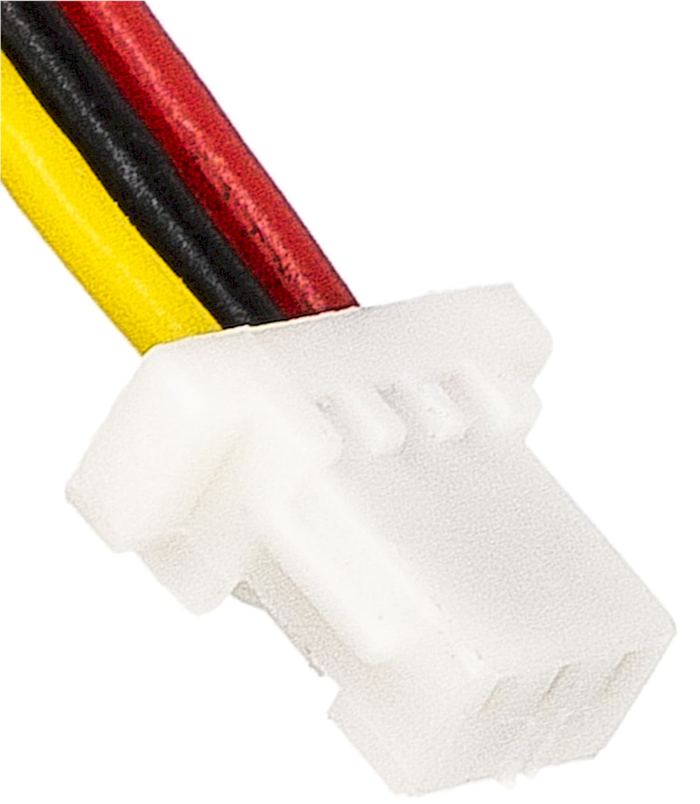
Once the back is free, locate the small plug joining the cell to the board and lift it straight out. Peel the old pack away from any foam pad, noting its orientation. Seat the new Garmin Nuvi 670 pack the same way, press the connector flat, and close the shell with the screws snug but not overtightened.
Charge, Test, and Recycle
Give the Garmin Nuvi 670 a complete charge before its first drive, because a fresh cell needs a couple of full cycles to reach steady runtime. Then plan a familiar route with the volume and screen at normal settings and see how long navigation stays up. Try the wireless features, since they are the heaviest draw on this widescreen model. Real use is a better test than a desk check.
Take the old cell to a battery recycling drop-off rather than the household bin, since lithium packs need a proper waste stream. If the Garmin Nuvi 670 still fades after a full charge, pause and message the team through Contact Us with your model and part number.
Ordering the Correct Pack
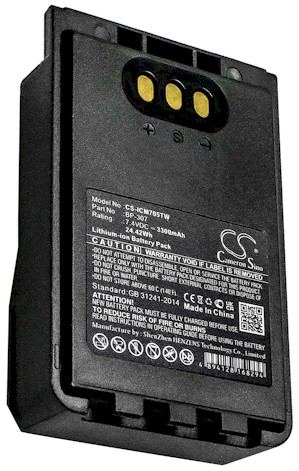
Browse replacement battery packs and chargers listed for the Garmin Nuvi 670 and match the part number you recorded. These replacement packs are brand new, 100% compatible aftermarket parts, backed by a 30-day money-back guarantee and a one-year warranty for US buyers.
Find the right replacement battery
Browse replacement battery packs and chargers matched to your Garmin Nuvi 670 and get back to confident navigation.
Frequently asked questions
How do I confirm the right battery for a Nuvi 670?
Read the bottom label on your Garmin Nuvi 670 for the full model name and the cell part number, then compare both to the compatibility notes. Widescreen Nuvis often look alike but do not always share internals. If anything is unclear, send those details to our team through Contact Us.
Will a pack from another Nuvi fit the 670?
Not necessarily. The Garmin Nuvi 670 uses a specific internal cell and connector, and other Nuvi generations can differ in shape and wiring. Match the exact part number from your label before ordering. Our team can verify the fit through Contact Us if you want a second pair of eyes.
What tools do I need for this swap?
A small Phillips screwdriver and a plastic opening pick handle almost the whole Garmin Nuvi 670. Work on a clean, bright surface with a dish for the tiny screws, and warm the case seam before prying. Skip metal tools near the board, and take your time along the adhesive edge.
Related reading
Last reviewed by the batteries-company.com editorial team. Brand and model names are used to describe compatibility only; replacement packs are aftermarket products.
Editorial source: Q&A Collection 133 — “How do I replace the Garmin Nuvi 670 battery” (FAQ #88). See the full collection-to-article map.

 Warehouse address: