

What a Battery Connector Does and Why It Matters
A battery connector is the small interface that joins a pack to a device, both physically and electrically. Getting to know it helps you understand why a replacement has to match exactly, not just look close on the outside.
- The connector carries power and, on smart packs, data between pack and device.
- Pin count, spacing, and orientation have to match the device exactly.
- A loose or mismatched connector can stop charging or cause intermittent cutouts.
- Choose a replacement pack by part number so the connector is correct.
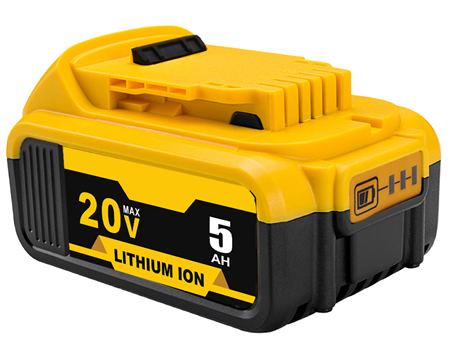
A plain definition
A battery connector is the meeting point between a pack and the device it powers. It is usually a small plastic plug with metal contacts that snaps or slides into place, and it does two jobs at once: holding the battery mechanically and carrying current electrically. Most packs use more than one connection, but the main one is the interface you notice when you install a battery.
On a smart pack, some of those contacts do more than move power. They let the device read temperature, charge level, and pack information through the built-in electronics. That is why a connector is not just a piece of plastic; it is part of the safety and reporting system that keeps charging under control.

One concrete example
Think about sliding a fresh replacement laptop battery into its bay. A row of gold contacts on the pack lines up with a matching strip in the machine, and the plug seats with a firm click. If even one pin is bent or the spacing is slightly off, the laptop may refuse to charge, report the wrong level, or not power on at all.
Power tool packs work the same way, only the connector is built to handle vibration and higher current. The contacts have to stay tight while a drill or saw is jolting around, and they are sized for the load the tool draws. A connector that fits loosely can arc or cut out under that kind of strain.
Why the connector matters when you buy
This is the practical reason to shop by part number rather than by appearance. Two packs can look nearly identical yet have different pin assignments or a reversed plug that simply will not seat. A well-made aftermarket replacement battery pack is built with the correct connector, voltage, and safety circuitry for the models listed on its page.
If you have been asking what does a battery connector do in a laptop, it is the link that makes every other spec usable. Check the compatible models list before ordering, and let our team confirm the fit through the Contact Us page if anything looks uncertain.
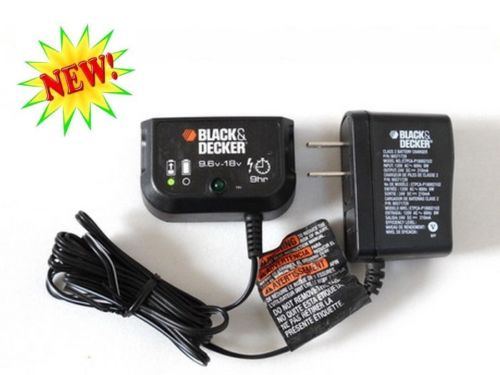
A quick fit check
Before you order, compare the connector on your old pack with the product photo, then match the model and part number to the compatibility list. Every replacement we sell is brand new and 100% compatible, backed by a 30-day money-back guarantee and a 1-year warranty. Getting this small part right is most of the battle.
Find the right replacement battery
Check the connector and part number, then order the compatible replacement battery pack that fits your device.
Frequently asked questions
Can I use a pack with a different plug shape?
No. The connector has to match the device in pin count, spacing, and orientation. A plug that looks close but seats differently will not make proper contact and may damage the terminals. Always go by the part number and the compatibility list on the product page.
Why do some packs have extra contacts?
Those extra pins usually carry information rather than power. Smart batteries use them to report temperature and charge level to the device and charger, so charging stays within a safe range. A compatible replacement keeps those connections in the right places.
What if the connector feels loose?
Stop using it and check that the pack is fully seated and correct for your model. A loose connection can cause intermittent power or heat at the contacts. If it still wobbles after reseating, reach us through the Contact Us page before continuing to charge it.
Related reading
Last reviewed by the batteries-company.com editorial team. Brand and model names are used to describe compatibility only; replacement packs are aftermarket products.
Editorial source: Q&A Collection 111 — “What is a battery connector” (FAQ #68). See the full collection-to-article map.

 Warehouse address: