

Replacing the TomTom Go 730T Battery Step by Step
The TomTom Go 730T is an x30 generation navigator with built-in traffic, and a fading cell leaves it shutting down mid-route. A compatible replacement pack is a practical, budget-friendly fix that keeps the maps you know.
- The TomTom Go 730T sits in the x30 GO line with built-in traffic features.
- Random shutdowns and a stuck battery gauge are the usual warning signs.
- Match the rear-label part number so the GO series pack seats correctly.
- Recycle the old cell locally and confirm runtime after a full first charge.
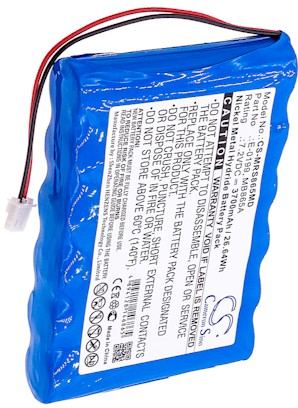
Spotting a tired pack
The clearest warning is a navigator that will not stay on. With the TomTom Go 730T, you may see the screen cut out on a long drive, the unit reboot over a rough road, or a battery icon that barely moves even after hours on the charger. Some owners find it only works while plugged into the car adapter. Those point to the cell, not the maps or the mount.
Compared with the plain 720, the T version carries traffic hardware that keeps the radio busy, so a weak pack tends to show up sooner. The TomTom GO line was always a larger dash unit than the compact ONE, and each revision uses its own shaped pack. Noting these family traits helps you order the right cell the first time.

What you need and how to prepare
Flip the unit over and read the model and part number on the rear label, then check the settings screen as a cross-check. Set out a small Phillips screwdriver, a plastic spudger, a soft cloth, and a little dish for screws. Choose a clean, well-lit table, and power everything off before a single screw moves.
Unplug the mount and the car adapter, and ground yourself on an unpainted metal edge to bleed off static. Lay screws out in removal order, since the GO housing can mix two lengths. A tidy bench turns a fiddly job into a calm one.
Remove the old cell, seat the new one
If you looked up how to replace a TomTom Go 730T battery, here is the core sequence. Ease a plastic spudger along the rear seam to free the clips, lift the cover, and unplug the old cell by gripping its connector rather than tugging wires. Place the new compatible pack in the identical orientation, press the plug home, and close the case clear of the ribbon cable.
Work gently near the top of the shell where the traffic hardware lives. If the connector has a small latch, release it first. Forcing a stuck plug can damage the board, so pause and take a close look before you pull.
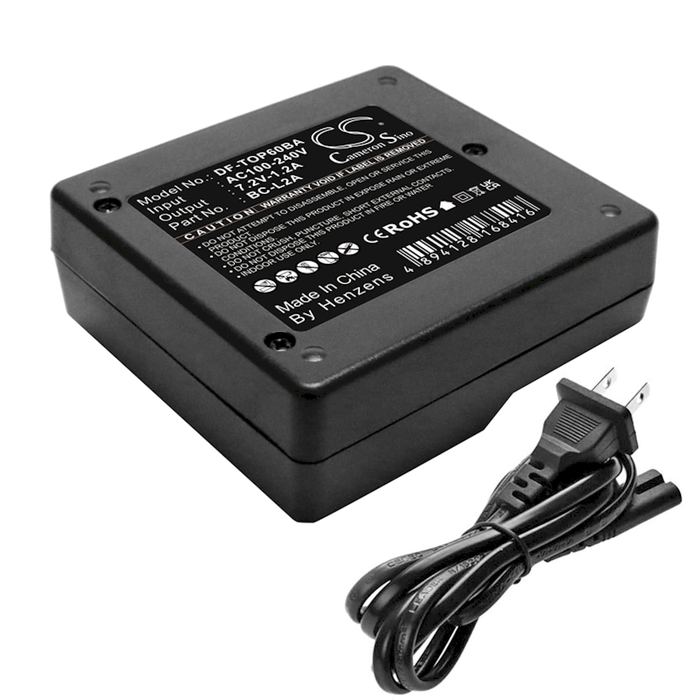
Charge, recycle, and verify
Give the TomTom Go 730T a complete first charge, then time a normal route with traffic on to confirm runtime. Take the old lithium cell to a local battery recycler rather than the trash. If anything looks corroded or results disappoint, our Contact Us page and Battery Guides can help, and every compatible pack includes a 30-day money-back guarantee and a 1-year warranty.
Find the right replacement battery
Shop our compatible replacement battery packs and chargers for GO navigators and get dependable guidance back on every trip.
Frequently asked questions
Is the 730T pack the same as the 720?
Not necessarily. Even within the GO family, a revision can use a different shaped cell or connector. Read the part number on both the rear label and the product listing, and match them exactly before ordering a compatible replacement pack.
Do I need any special tools?
A small Phillips screwdriver and a plastic spudger cover almost everything. Avoid metal pry tools, which can scratch the case or short the board. A soft cloth and a tray for screws round out the kit.
How do I know the swap worked?
A full first charge followed by a normal drive is the real test. If the unit now holds a steady charge and the gauge behaves, the job is done. If it still fades, contact us so we can help troubleshoot.
Related reading
- How to Replace the Garmin StreetPilot C330 Battery
- How to Replace a Garmin StreetPilot C340 Battery Step
- Replacing a Garmin StreetPilot C530 Battery
- Replacing a Garmin StreetPilot C550 Battery the Right Way
- How to Replace a Garmin StreetPilot C320 Battery
- Priority Mail and Faster Shipping for Replacement Batteries
Last reviewed by the batteries-company.com editorial team. Brand and model names are used to describe compatibility only; replacement packs are aftermarket products.
Editorial source: Q&A Collection 017 — “How do I replace the TomTom Go 730T battery” (FAQ #113). See the full collection-to-article map.

 Warehouse address: