

Replacing the TomTom Go 930T Battery Step by Step
Before you touch a screw, confirm the unit really has a worn cell; a loose car adapter can mimic it. If you are searching for how to replace a TomTom Go 930T battery, the fix is a new compatible cell, a calm bench, and half an hour.
- The 930T shares the GO family shell, so confirm the part number on its label.
- Rule out a loose car adapter before blaming the TomTom Go 930T battery.
- Back up files in the unit's memory before you open the case.
- Charge the new cell fully, then verify runtime on a real unplugged drive.
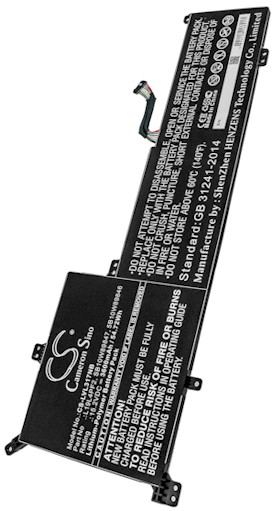
Start With the Part Number on the Label
The TomTom Go 930T belongs to the GO family, and the back label is the only reliable way to order the right cell. Turn the unit over, find the printed model string and the battery part number, and write both down. That one minute of checking prevents the most common mistake: a pack whose connector is a fraction too short to reach the socket.
Take a photo of the label and keep the old pack until the new one is installed and tested. Because the 930T carries a traffic receiver, there is an extra lead inside the case that is easy to mistake for the battery wire; noting it now saves confusion later. Our product pages list which packs and chargers suit this exact model, so compare rather than guess.

Symptoms, Then a Calm Workspace
Now confirm the diagnosis. A tired unit typically runs fine on the car adapter and shuts down within minutes once unplugged, or the charge icon never reaches full. Cold mornings exaggerate the problem because a chilled Li-ion cell delivers less current. Test with a known-good charger first; if the behavior does not change, the internal cell is the part that needs replacing, not the power cord.
Lay out a soft cloth, a small Phillips driver, a plastic opening pick, and a dish for screws. Good light matters more than a fancy tool kit. Clear the table of anything metal, discharge static by touching a grounded surface, and plan to keep each screw with its own hole so the rear cover goes back without a gap.
Opening the Case and Fitting the New Cell
With the unit powered off, lift the rubber pads along the back to expose the case screws, then ease a plastic pick around the seam until the clips let go. Inside, the battery lead is the short one ending in a small white plug; the longer lead belongs to the traffic receiver, so leave it alone. Grip the plug rather than the wires and draw the old cell out.
Set the new compatible pack into the same recess with the label facing up, press the connector until it seats, and route the lead along its original channel so the cover will not pinch it. Power the unit on for a moment to confirm the battery is recognized, then press the halves together and reinstall the screws without overtightening them.
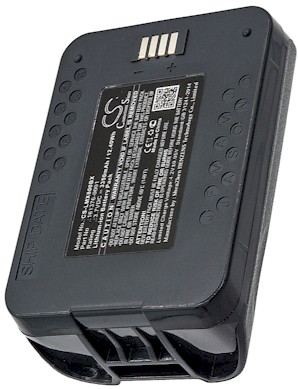
First Charge, Runtime Check, and Recycling
Charge the new cell fully before you judge it, then run the TomTom Go 930T unplugged and time the result. Capacity often settles after two or three cycles. Recycle the old cell at a battery drop-off rather than the trash. If the connector does not match, the case will not close, or the unit stays dark, stop and contact our team through Contact Us.
Find the right replacement battery
Find compatible replacement battery packs and chargers for the TomTom Go 930T and get back to reliable navigation.
Frequently asked questions
Is the 930T pack the same as the 930?
The two units share a shell, but that does not guarantee the same cell, so always match the part number on your own label. The traffic hardware in the 930T changes the internal layout, which is why a pack listed for the exact model is the safe choice.
Will replacing the cell erase my saved places?
Usually no, but it is smart to back up anything important before you open the case, since the unit will be without power for a few minutes. A full first charge and a quick settings check after reassembly will confirm that everything came back as you left it.
Why does the new pack seem weak at first?
Aftermarket cells arrive partly charged and the fuel gauge needs a cycle or two to calibrate. Give it one complete charge, use the unit unplugged, then recharge. Runtime typically settles after those early cycles, so hold off on judging the pack until then.
Related reading
Last reviewed by the batteries-company.com editorial team. Brand and model names are used to describe compatibility only; replacement packs are aftermarket products.
Editorial source: Q&A Collection 018 — “How do I replace the TomTom Go 930T battery” (FAQ #114). See the full collection-to-article map.

 Warehouse address: