


How to Replace a Garmin iQue 3600 Battery
You can replace a Garmin iQue 3600 battery with a small driver, a plastic spudger, and a compatible aftermarket replacement battery pack. For a US owner wondering how to replace a Garmin iQue 3600 battery, sync the PDA first so the contacts and notes stay safe.
- A Garmin iQue 3600 is a PDA and GPS in one, so back up data first.
- Sync to a computer or cradle before you disconnect the old cell.
- Match the iQue 3600 part number, since PDA packs differ from plain Nuvi units.
- A full charge and one field test confirm the replacement holds up.
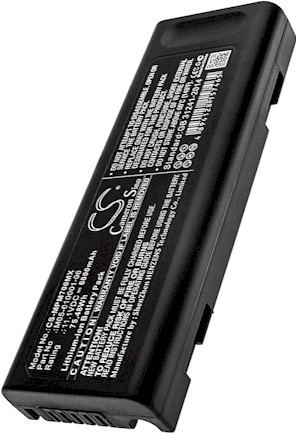
Why the iQue 3600 Is a Special Case
The Garmin iQue 3600 is not a plain navigator. It is a Palm style PDA with GPS built in, a stylus, and a cradle for syncing, which means it stores contacts, notes, and calendars alongside maps. When the battery fades, the unit may lose its charge overnight, dim the backlight, or reset during a route calculation. Back up or sync before a single screw comes out.
Confirm the model and the cell before ordering. The Garmin iQue 3600 belongs to the iQue family, and its pack is not interchangeable with a standard Nuvi battery. Read the label under the back cover and note the part number on the original cell. Match both against the compatibility list, and you will get the right connector for this PDA GPS.

Preparing the Workspace and the Data
Start with a sync. Place the Garmin iQue 3600 in its cradle or connect the cable and let the desktop software copy your data, then power the unit fully off. Set up on a clean, well lit table with a soft cloth, a small driver, a plastic spudger, and a dish for screws. An anti static strap is a nice extra around PDA electronics.
Remove the stylus and any memory card so nothing gets lost, and keep the unit away from drinks and loose metal. Because the iQue 3600 holds personal data, resist the urge to rush. A calm, organized bench makes the swap smoother and protects the screen, which is the most delicate part of this handheld.
Swapping the Cell and Checking Runtime
Release the back cover and find the cell and its plug. Note the wire routing, lift the connector free, and ease the old pack out of its bay. Seat the replacement battery pack in the same orientation, press the plug home, and guide the leads back into their channel. Close the Garmin iQue 3600 carefully so no wire is pinched, then snug the screws.
Charge fully before the first unplugged session, then run the Garmin iQue 3600 through a normal day of navigation and PDA use to see real runtime. Restore your data from the sync if needed. Recycle the old Li-ion cell at a battery drop off, since lithium packs should never go in household trash.
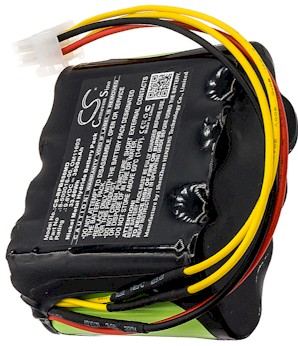
When to Contact Support
If the Garmin iQue 3600 will not power up after a full charge, reopen it and reseat the connector before assuming the pack is at fault. Send your model and part number through the Contact Us page if the fit seems off. When you are ready, browse compatible replacement battery packs and chargers for the iQue line.
Find the right replacement battery
Order a compatible replacement battery pack and charger for your Garmin iQue 3600 and keep your data and directions together.
Frequently asked questions
Will a Nuvi battery work in my iQue 3600?
No. The Garmin iQue 3600 is a PDA GPS with its own pack and connector, while Nuvi units are dedicated navigators. Always match the part number printed on your old cell to the compatibility list. A shared brand does not mean shared batteries.
Do I lose my contacts when the battery dies?
A sync before the swap protects the contacts and notes on a Garmin iQue 3600. These handhelds keep data in memory that can be disturbed by a full power loss, so a quick backup is cheap insurance. Restore from the desktop software once the new pack is charged.
Can I still use the cradle after replacement?
Yes. A compatible replacement battery pack charges through the same Garmin iQue 3600 cradle and connector as the original. If the cradle does not recognize the unit, reseat the plug and give it a full charge. The dock itself is unrelated to cell health.
Related reading
Last reviewed by the batteries-company.com editorial team. Brand and model names are used to describe compatibility only; replacement packs are aftermarket products.
Editorial source: Q&A Collection 028 — “How do I replace the Garmin iQue 3600 battery” (FAQ #123). See the full collection-to-article map.

 Warehouse address: