


How to Replace a Garmin Nuvi 660 Battery
You can replace a Garmin Nuvi 660 battery with a small driver, a plastic pry tool, and a compatible aftermarket replacement battery pack. For a US driver wondering how to replace a Garmin Nuvi 660 battery, a careful swap restores full runtime without retiring a trusted navigator.
- A Garmin Nuvi 660 that fades mid drive signals a worn cell.
- The 660 is a wider Nuvi, so check the part number carefully.
- Release the back cover gently to protect the screen bezel.
- A full charge and one drive test confirm the new pack.
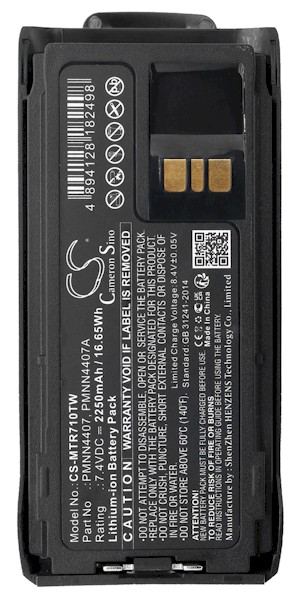
Confirming the Exact Nuvi 660 First
Before you buy a single part, verify that your unit is a Garmin Nuvi 660. The 660 is one of the wider models in the Nuvi family, and several siblings share a similar face. Read the model label on the back housing and match it to the compatibility list on the product page. Once the case is open, note the part number printed on the original cell too.
Getting this identification right matters more than any tool you will use. A pack built for a slimmer Nuvi can have a different connector or cell layout, and it will not seat correctly in a Garmin Nuvi 660. Two minutes of checking at the start saves the hassle of a return and a second order.

Signs the Cell Has Had Its Day
A healthy Garmin Nuvi 660 should run a full day of driving on one charge. When the pack fades, the unit may drop to a low battery warning minutes after unplugging, reboot when the car hits a bump, or only power on while attached to the adapter. The screen can dim and charging may drag on. Those are capacity losses, not a settings problem.
Warmth during charging and a battery icon that never quite fills are quieter clues. If a full charge no longer gets you through a normal trip, the cell is worn. At that point a fresh aftermarket replacement battery pack is the practical fix, since no amount of extra charging will bring a tired Li-ion cell back.
Opening the Case and Fitting the Pack
Power the Garmin Nuvi 660 off, remove it from the mount, and lay it face down on a soft cloth. With a small Phillips or Torx driver, a plastic spudger, and a dish for screws, release the fasteners and then ease the clips around the seam. Inside, note the wire route, lift the old plug straight off, and seat the replacement battery pack in the same orientation.
Press the connector until it clicks, guide the leads back into their channel, and snap the case closed without pinching a wire. Snug the screws without overtightening. Charge the Garmin Nuvi 660 fully before its first unplugged drive, then run it down once to see honest runtime in real conditions.
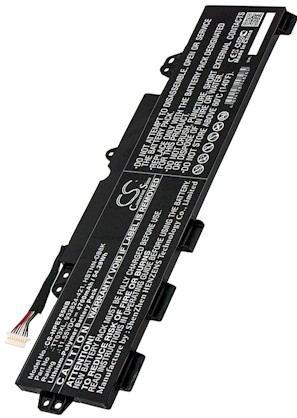
Recycling the Old Cell and Getting Help
Recycle the old Li-ion pack at a local battery drop off rather than the household bin, since lithium cells belong in a proper collection stream. If the Garmin Nuvi 660 will not start after a full charge, reseat the connector and try again. Send your model through the Contact Us page, then browse our compatible replacement battery packs and chargers.
Find the right replacement battery
Find a compatible replacement battery pack and charger for the Garmin Nuvi 660 and get back on the road.
Frequently asked questions
Will another Nuvi battery fit my 660?
Not reliably. The Garmin Nuvi 660 uses a pack and connector specific to its wider housing, while other Nuvi models can differ. Match the part number printed on your old cell to the compatibility list before buying. A similar looking pack is not a guaranteed fit.
Do I need any soldering for this swap?
Most Garmin Nuvi 660 replacements use a plug in connector, so no soldering is needed. You unplug the old cell and press the new one home. If your particular unit has soldered leads, that is a good point to ask a repair professional for a hand.
How do I dispose of the old cell?
Take the old Li-ion pack to a household hazardous waste or battery recycling drop off in your area. Lithium cells can be a fire risk in trash compactors, so keep them out of household bins. Many US communities and electronics retailers accept them at no charge.
Related reading
Last reviewed by the batteries-company.com editorial team. Brand and model names are used to describe compatibility only; replacement packs are aftermarket products.
Editorial source: Q&A Collection 132 — “How do I replace the Garmin Nuvi 660 battery” (FAQ #87). See the full collection-to-article map.

 Warehouse address: