


Everyday Care for a Replacement Battery Pack
A new pack arrives with a partial charge, so a full first charge and a few gentle cycles are the best start. If you have been looking up how to care for a new replacement battery, that routine, plus cool and dry storage, is what protects runtime for US buyers.
- Give a new pack a full first charge before you judge its runtime.
- Two or three early cycles help a fresh cell reach full capacity.
- Store a pack cool and dry, partly charged, if it will sit a month.
- Warmth while charging is normal, but real heat is a warning sign.
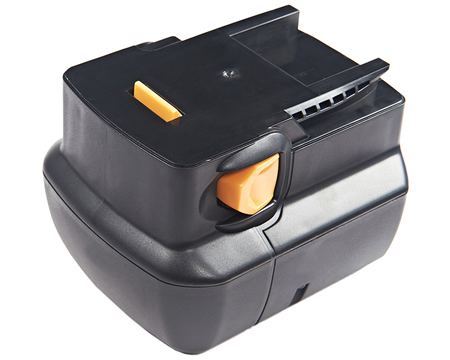
The First Charge Sets the Tone
Most replacement packs ship with a partial charge left over from testing, so plan to top one up fully before its first real job. Charge it on the matching charger, let it finish, and then use the device normally. A new Li-ion cell often needs two or three complete cycles before it reports its true capacity, so an underwhelming first hour is not a verdict.
This is also the moment to confirm that the pack and charger agree. Check that the voltage on the charger matches the label on the battery, and that the connector seats without force. A mismatch here will show up as slow charging or a pack that never quite fills, and catching it early is far easier than chasing a runtime problem later.
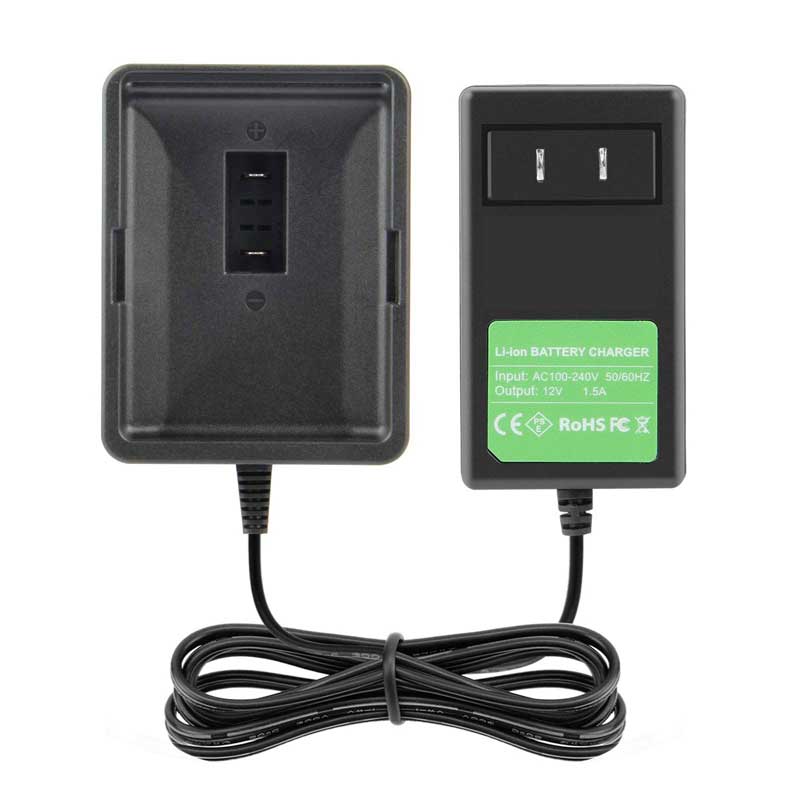
Charging Habits That Help
Modern Li-ion packs do not have the memory effect that older NiCad cells did, so you do not need to drain them fully before recharging. Shallow, regular top-ups are actually easier on the cells. Let a hot pack cool to room temperature before it goes on the charger, and use the power tool battery charger built for that voltage, since a wrong dock can cook a good pack.
A little warmth during a normal charge is expected and nothing to worry about. What is not normal is a pack that is hot to the touch, swollen, or smells sharp; unplug it and ask us if that happens. Otherwise, simply avoid leaving a battery on a sunny dashboard or in a freezing garage, since temperature swings age cells faster than ordinary use.
Storage Without Surprises
If a pack will sit unused for more than a month, take it out of the device and store it in a cool, dry, clean place, partly charged rather than completely full or empty. Every rechargeable cell slowly self-discharges over time, so expect to top it up before the next use. A replacement laptop battery kept in a drawer all winter behaves the same way.
Keep the contacts clean and dry, and do not stack loose packs where metal tools can bridge the terminals. A quick wipe with a dry cloth before storage is enough. These are small habits, but they prevent the slow, avoidable capacity loss that makes people think a fairly new pack has suddenly gone bad.
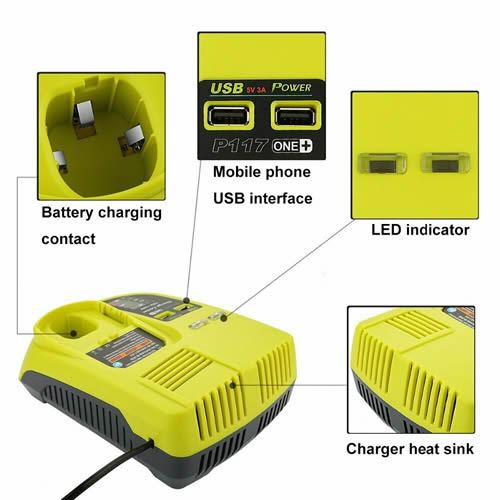
When Care Gives Way to Replacement
Good habits stretch a pack's life, but they cannot make a cell immortal. When a full charge no longer gets you through a job, the pack has reached the end of its charge cycles. Every pack we sell is a brand new, 100% compatible aftermarket replacement with a 30-day money-back guarantee and a one-year warranty, so the next step is matching the part number.
Find the right replacement battery
Browse a brand new replacement laptop battery or power tool battery charger and start with the right care routine.
Frequently asked questions
Should I fully discharge a new Li-ion pack?
No. That advice comes from older NiCad cells with a memory effect. A new Li-ion battery pack does best with a full first charge and normal use afterward. Repeated deep drains stress the cells, so a shallow top-up between jobs is perfectly fine and often healthier.
Is it normal for a pack to get warm?
Mild warmth during charging or heavy use is normal, since some energy is always lost as heat. A pack that is uncomfortably hot, swollen, or giving off an odor is not. Unplug it, set it somewhere safe, and contact us through the Contact Us page before using it again.
How should I store a spare pack?
Keep it cool, dry, and partly charged, out of the device and away from metal objects that could short the contacts. Expect some self-discharge over a long winter, so give it a charge before the first job of spring. A dry cloth wipe on the contacts is all the cleaning it needs.
Related reading
Last reviewed by the batteries-company.com editorial team. Brand and model names are used to describe compatibility only; replacement packs are aftermarket products.
Editorial source: Q&A Collection 082 — “How Do I Care For My Battery” (FAQ #41). See the full collection-to-article map.

 Warehouse address: