

Do You Need to Clean Your Battery Contacts
A weak connection can look a lot like a dead battery, so a quick cleaning is worth trying before you replace anything. This guide covers when to clean, the safe way to do it, and how to tell when a new pack is the real answer.
- Dust and grime on contacts can interrupt charging and confuse the fuel gauge.
- Always remove the battery and unplug AC power before cleaning anything.
- Use isopropyl alcohol and a lint-free swab, and let contacts dry fully.
- If runtime is still poor after cleaning, a replacement pack is the sensible next step.
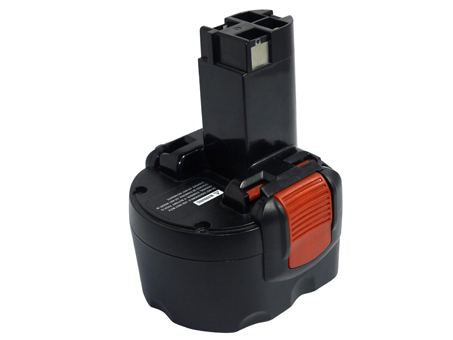
How dirty contacts mimic a failing pack
Charging problems are not always about the cells themselves. A film of dust, oil from your fingers, or light corrosion on the metal contacts can keep a pack and charger from talking to each other properly. The result can be a tool that will not charge, a laptop that reports the wrong level, or a battery that cuts out under load.
Cleaning is a reasonable first step because it is quick and costs nothing, but it helps to be realistic. A wiped contact will not restore a cell that has simply worn out after years of charge cycles. Think of cleaning as ruling out a simple connection problem before you decide whether the pack itself needs replacing.

A safe cleaning routine
Start by powering the device down, removing the battery, and unplugging the AC adapter so nothing is live while you work. Dampen a lint-free swab or a soft cloth with a little isopropyl alcohol rather than spraying anything into the device. Gently wipe the contacts on both the pack and the bay, and let every surface dry completely before reassembly.
Skip abrasive tools, metal scrapers, and household cleaners, since they can damage plating or leave residue. On many laptops the contacts sit deep in the bay and are hard to reach, so do not force anything just to get at them. A gentle pass on the accessible surfaces is enough to test whether a dirty connection was the culprit.
Testing the result and knowing when to replace
Once the contacts are dry, reseat the pack, plug in the charger, and give it a full cycle. If charging resumes and the level reads normally, the connection was the issue. Keep an eye on runtime over the next few uses, because a clean contact cannot add capacity back to an aging cell that fades quickly under load.
If you are searching how to clean battery contacts on a cordless tool, the same gentle routine applies to slide-on packs and their charger terminals. When runtime stays short even after a good cleaning, an aftermarket replacement battery pack is usually the more practical fix.
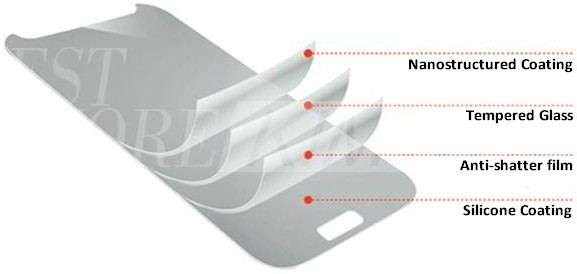
Simple habits that keep contacts clean
Wipe the contacts every few months if you work in a dusty shop, and store packs in a dry place rather than on a grimy bench. A quick visual check before charging catches buildup early. These small habits help any Li-ion battery pack make a solid connection, and every replacement we sell is brand new and 100% compatible.
Find the right replacement battery
Try a safe contact cleaning first, and if runtime is still poor, browse a compatible replacement battery pack.
Frequently asked questions
What should I use to clean battery contacts?
A lint-free swab or soft cloth lightly dampened with isopropyl alcohol is the safe choice. Avoid water, household sprays, and anything abrasive. Let the contacts air-dry fully before you put the pack back, since trapped moisture can cause just as much trouble as the grime you removed.
Is it safe to clean contacts myself?
Yes, as long as the device is off, the battery is out, and the AC adapter is unplugged. Never spray liquid into the bay or use a metal tool on the contacts. If the terminals are recessed and hard to reach, a light wipe of the accessible surfaces is plenty.
Will cleaning fix a battery that dies fast?
Only if a poor connection was the cause. Cleaning cannot restore capacity lost to age and charge cycles. If the pack still fades after a full charge and clean contacts, the cells are worn and a compatible replacement battery is the sensible next step.
Related reading
Last reviewed by the batteries-company.com editorial team. Brand and model names are used to describe compatibility only; replacement packs are aftermarket products.
Editorial source: Q&A Collection 087 — “Do I Have To Clean My Battery” (FAQ #46). See the full collection-to-article map.

 Warehouse address: