


How to Replace an iPAQ 3800 and 3900 Battery
An iPAQ 3800 or 3900 that will not hold a charge is usually down to one tired internal cell. A compatible replacement pack and a gentle touch with the stylus era housing bring the handheld back without losing your data.
- The 3800 and 3900 series share the same family battery design.
- Match the 263897-001 reference and your exact model before ordering.
- Back up contacts and notes to a sync partner before opening the case.
- Recycle the old cell and do a soft reset after the first charge.
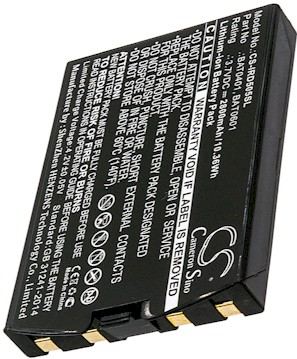
Know the iPAQ Family Before You Start
The iPAQ 3800 and iPAQ 3900 are Pocket PC handhelds from the stylus era, with a removable rechargeable pack, expansion sleeves, and a cradle for syncing. They are sturdier than a phone but far more compact inside than a modern GPS, so a calm, unhurried approach pays off. Both models sit in the same family, which is why a single correctly matched pack serves the pair.
Read the label on the back and note the exact model plus any battery reference such as 263897-001. If you have been searching how to change the battery in an iPAQ 3800, that identifier is what keeps you away from a cell meant for a different PDA generation. Write it down before you browse, and keep a photo of the label for reference.

Back Up, Power Down, and Set Up
Before a single screw moves, sync the handheld to your computer or a memory card so contacts, notes, and appointments are safe. Any internal repair can interrupt power, and a backup removes the only real worry. Then power the iPAQ 3900 off, pull it from the cradle, and remove any expansion sleeve or stylus that might get in the way.
Lay a soft cloth on a clean, well lit table and gather a small Phillips screwdriver, a plastic pry tool, and a dish for screws. Give the unit a moment to settle fully off. Working on a live Pocket PC board is asking for trouble, so confirm the screen is dark before you begin.
Open the Case and Swap the Pack
Remove the rear screws and ease the halves apart with the pry tool, working around the seam a little at a time so the aging plastic clips do not crack. Free the old connector gently rather than tugging its wires, then lift the spent cell from its bay. Lower the compatible aftermarket replacement battery pack into the same footprint and press the plug until it sits flat and even.
Check that no ribbon or wire is pinched along the edge before you close anything. Reconnect, then give the unit a full initial charge with the screen off, using the cradle or the charger intended for this family. A slow first charge and a soft reset afterward let the handheld read the new pack cleanly and report an accurate level.
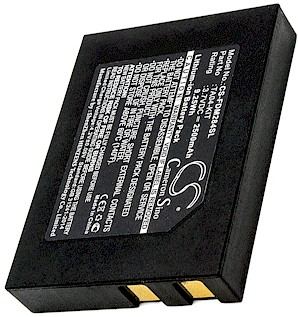
Reassemble, Test, and Recycle
Once the charge completes, seat the housing, tighten the screws evenly, and run the iPAQ 3800 on battery power alone through a normal day of use. Note how long it lasts versus the old pack. Take the spent cell to a recycling drop off, and if the case will not close or the sync drops, contact our support team rather than forcing the board.
Find the right replacement battery
Find compatible replacement battery packs and chargers for iPAQ Pocket PC handhelds, and restore dependable power to your device.
Frequently asked questions
Will I lose my data during the swap?
You should not, but sync the handheld before you start so contacts, notes, and appointments are safely backed up. Power the unit fully off and work unplugged. A fresh pack behaves like the original once installed, and a soft reset after the first charge helps it read the new level.
Do the 3800 and 3900 use the same battery?
They sit in the same iPAQ family and are commonly served by one compatible pack, but always confirm your exact model and the 263897-001 style reference before ordering. Match those details against the listing. If anything is unclear, send us the numbers and we will verify the fit.
What tools do I actually need?
A small Phillips screwdriver, a plastic pry tool, and a soft cloth cover the job, plus a dish for the tiny screws. Good light matters more than any specialty gadget. Take your time around the older plastic clips, since they are the one part that dislikes a hard twist.
Related reading
Last reviewed by the batteries-company.com editorial team. Brand and model names are used to describe compatibility only; replacement packs are aftermarket products.
Editorial source: Q&A Collection 131 — “How do I replace the iPaq 263897-001 Battery for iPAQs 3800's-3900's” (FAQ #86). See the full collection-to-article map.
 Warehouse address: