


How to Replace a Garmin Nuvi 265W Battery at Home
You can replace a Garmin Nuvi 265W battery at home with a small driver, a plastic pry tool, and a compatible aftermarket replacement battery pack. For a US shopper wondering how to replace a Garmin Nuvi 265W battery, the swap restores full runtime without buying a new GPS.
- A Garmin Nuvi 265W that dies quickly usually needs a fresh cell, not a new device.
- Match the part number on the old pack before ordering a compatible replacement battery.
- A plastic pry tool protects the Nuvi 265W case from scratches during opening.
- Give the new pack a full first charge, then test real world navigation runtime.
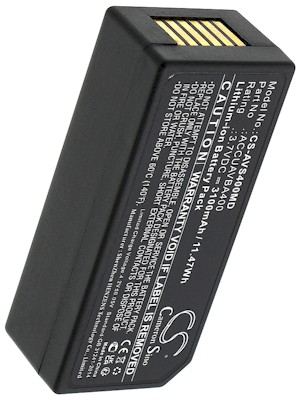
Spotting a Tired Battery in the Garmin Nuvi 265W
The most common sign is a Garmin Nuvi 265W that will not hold a charge through a single drive. It may shut down at a low battery warning or take hours to reach full. The screen might dim, and the unit can restart when you hit a bump. Those are signs of an aging Li-ion cell that has lost capacity, and no amount of charging will bring it back.
Before you order, confirm you own a Garmin Nuvi 265W and not a similar looking Nuvi from the same family. Turn the unit over and read the model label, then note the part number printed on the original cell once it is out. Match both against the compatibility list on the product page. Nuvi models share a shape, but the internal packs and connectors are often specific to one variant.

Tools and a Clean Workspace
Set up on a well lit table with a soft cloth to protect the screen. You will want a small Phillips or Torx driver, a plastic spudger, and an anti static wrist strap. Power the Garmin Nuvi 265W off and unplug it from any mount or car charger. Keep screws in a small dish in the order you remove them, since the lengths can differ across the case.
Work slowly and never force a seam. The Nuvi 265W case is held by clips as well as screws, so once the fasteners are out a gentle pry around the edge releases the back cover. Avoid metal tools near the battery connector, and keep the workspace free of drinks and loose metal objects that could short a contact.
Swapping the Cell and Charging Up
Lift the back cover and locate the cell and its wire connector. Note how the plug sits before you ease it free, then lift the old pack out of its recess. Seat the replacement battery pack in the same orientation, press the connector home until it clicks, and tuck the wires as you found them. Do not pinch a lead under the cover as you snap the case closed.
Give the new pack a full charge before its first real use, then run the Garmin Nuvi 265W on battery until it is low to gauge honest runtime. If it lasts about as long as the unit did when new, the job is done. Recycle the old Li-ion cell at a local battery drop off rather than tossing it in the trash.
When to Ask for Help
If the unit will not power on after the swap, recheck the connector and give it another full charge before assuming the pack is faulty. Reach out through our Contact Us page with your model and part number if something does not fit, and browse our compatible replacement battery packs and power tool battery chargers when you are ready to order.
Find the right replacement battery
Browse our compatible replacement battery packs and chargers for the Garmin Nuvi 265W and get back on the road.
Frequently asked questions
Will any Nuvi battery fit my 265W?
No. Garmin Nuvi packs vary by model, so match the exact part number from your old cell against the compatibility list before buying. A pack that looks similar can have a different connector or voltage, which keeps the unit from charging correctly.
Do I need to solder the new battery?
Most Garmin Nuvi 265W replacements use a plug in connector, so no soldering is needed. You simply unplug the old cell and press the new one into place. If your particular unit has a soldered lead, that is a good moment to ask a professional for help.
How should I dispose of the old cell?
Take the old Li-ion pack to a household hazardous waste or battery recycling drop off in your area. Do not put it in household trash, since lithium cells can be a fire risk in compactors. Many US communities and electronics stores accept them at no charge.
Related reading
Last reviewed by the batteries-company.com editorial team. Brand and model names are used to describe compatibility only; replacement packs are aftermarket products.
Editorial source: Q&A Collection 004 — “How do I replace the Garmin Nuvi 265W battery” (FAQ #101). See the full collection-to-article map.

 Warehouse address: