

A Fresh Battery for Your TomTom Go 720
The TomTom Go 720 belongs to the slimmer GO generation, and a weak cell shows up as short runtime and random restarts. A compatible replacement pack restores full-day navigation without the cost of replacing the whole unit.
- Check the part number first, because this GO model shares a family with several similar units.
- Short runtime and random restarts point to the cell, not the car charger.
- The slim x20 case opens from the rear seam with a plastic pry tool.
- Recycle the old lithium cell and verify runtime after a full first charge.
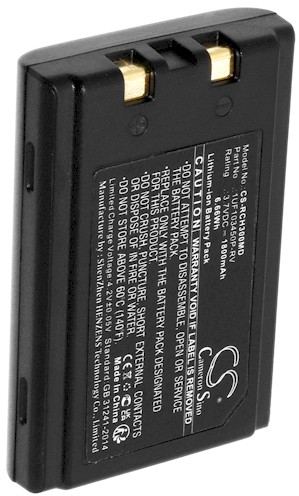
Confirm the model before you order
Start by identifying exactly what you own. Turn the unit over and read the model and part number printed on the rear label, then compare it with the system screen in settings. The TomTom Go 720 sits in the slimmer GO generation that followed the bulkier early units, so a pack from a different GO revision may not fit. Ordering against the exact part number avoids a return.
Gather a small Phillips screwdriver, a plastic spudger, a soft cloth, and a tray for screws. Work on a clean, well-lit table rather than in the car, and power the navigator off and unplug the mount first. Touch an unpainted metal edge to discharge static before you open anything, and keep the tiny screws in the order you remove them.

How a worn cell behaves
A failing pack rarely quits all at once. With the TomTom Go 720 you may notice the battery icon dropping fast, the screen going dark on a long drive, or the unit restarting when the car hits a bump. Some owners find it will only run while plugged into the adapter. Those are cell symptoms, and a new compatible pack is the sensible fix.
Do not confuse a tired cell with a bad charger. If the unit charges normally but drains within minutes, the pack is the culprit. Testing the car adapter on another device first is a quick way to rule out a power cable before you order a replacement.
Fitting the new compatible pack
If you came here wondering how to replace a TomTom Go 720 battery, this is the hands-on part. Slide the spudger along the rear seam to release the clips, lift the cover, and unplug the old cell by gripping the connector rather than pulling the wires. Set the new pack in the same orientation, press the plug fully home, and close the shell without trapping the ribbon cable.
Take your time with the clips, since the slim housing is less forgiving than the older GO shells. If a connector feels stuck, check for a small latch before applying force. A gentle, patient approach keeps the board and the new pack in good shape.
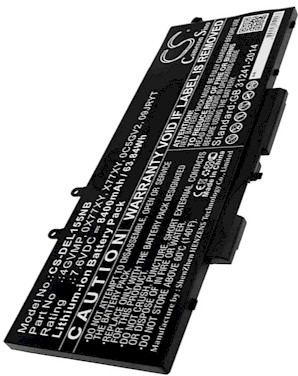
First charge, testing, and recycling
Give the new pack a full first charge, then run the TomTom Go 720 on a route and time the runtime. Recycle the old lithium cell at a drop-off. If anything looks corroded or the unit fades fast, our Contact Us page, Battery FAQs, and Battery Guides are there to help, and every compatible pack carries a 30-day money-back guarantee and a 1-year warranty.
Find the right replacement battery
Find the compatible replacement battery pack or charger for your GO navigator and bring reliable turn-by-turn guidance back to every drive.
Frequently asked questions
Can I reuse the original charger?
Usually yes, as long as it is in good condition. A new compatible pack works with the existing dock and car adapter, but inspect the cable for fraying first. If charging stays slow, our chargers category has options that match GO series units.
Is this a difficult repair?
It is a careful job rather than a hard one. The slim GO case uses clips and a small plug, so patience matters more than skill. Set aside a quiet half hour, and stop to ask support if a connector will not release.
What if the new pack dies quickly?
First complete a full charge cycle, since electronics need that to report runtime correctly. If performance is still poor, contact us through the site. A 30-day money-back guarantee and a 1-year warranty cover compatible packs, so you are not stuck.
Related reading
Last reviewed by the batteries-company.com editorial team. Brand and model names are used to describe compatibility only; replacement packs are aftermarket products.
Editorial source: Q&A Collection 009 — “How do I replace the TomTom Go 720 battery” (FAQ #106). See the full collection-to-article map.

 Warehouse address: