


Replacing the Battery in a TomTom Go 910
A tired TomTom Go 910 usually shows short runtime and sudden shutoffs, and swapping in a fresh compatible pack is a manageable DIY job. Doing it yourself saves the cost of a whole new navigator and keeps your maps and mounts in service.
- Fading runtime and mid-drive shutoffs are the classic signs of a worn GO series cell.
- Confirm the exact model on the rear label before ordering any replacement pack.
- A plastic pry tool and a small Phillips screwdriver cover most GO series cases.
- Give the new pack a full first charge, then test runtime on a real route.
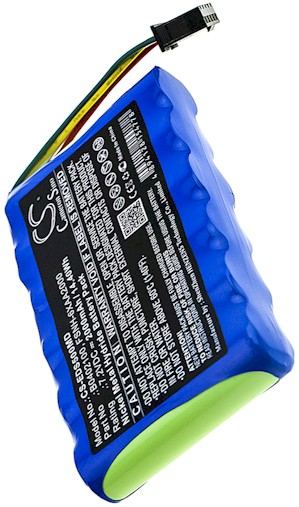
Signs the TomTom Go 910 pack is worn out
The first clue is usually runtime that keeps shrinking. A healthy unit stays on for a full drive, but a tired TomTom Go 910 may quit after a few minutes even right after charging. You might also see the screen dim, the device reboot on bumps, or a battery icon that never fills. Those symptoms point to an aging cell rather than a charger problem.
Before you buy anything, confirm you are working with the TomTom Go 910 and not a sibling in the GO family. Flip the unit over and read the model and part number on the rear label, or check the system information screen in the settings menu. The GO line used a larger dash-mounted housing than the compact TomTom ONE, so the internal pack and connector differ between them.

Tools and a clean workspace
Set up on a well-lit table with a soft cloth, a small Phillips screwdriver, a plastic spudger, and a container for screws. Power the unit off and unplug it from the mount and any car adapter before you start. Ground yourself on an unpainted metal surface to reduce static, and keep drinks and loose metal away from the open case while you work.
Work slowly and keep track of screw locations, since GO series housings sometimes use two different lengths. Lay the screws out in the order you remove them. A calm, organized bench makes the swap far less stressful than rushing through it on the dashboard of a parked car.
Swapping the cell and charging it up
If you searched for how to replace a TomTom Go 910 battery, this is the core of the job. Ease the back cover open with the spudger, then gently lift the old cell connector straight off the board rather than tugging the wires. Seat the new compatible pack in the same orientation, press the connector home, and close the case without pinching any ribbon cable.
Give the new pack a complete first charge before testing. Then run the TomTom Go 910 on a familiar route with the screen at normal brightness and note how long it lasts. Recycle the old lithium cell at a local battery drop-off rather than tossing it in household trash.
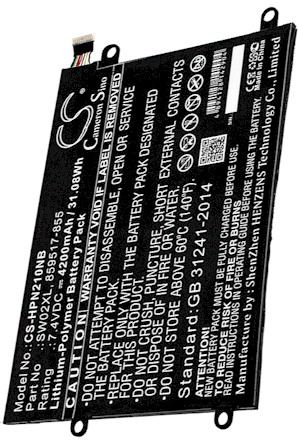
When to ask for help
If the case will not open, the connector looks corroded, or the unit still dies quickly after a full charge, stop and reach out through our Contact Us page. Our Battery FAQs and Battery Guides cover compatibility questions too. Every aftermarket replacement battery pack is brand new and fully compatible, backed by a 30-day money-back guarantee and a 1-year warranty.
Find the right replacement battery
Browse our compatible replacement battery packs and chargers for TomTom GO navigators, and get your device reliably back on the road.
Frequently asked questions
Will any GO series battery fit my unit?
Not usually. Each GO housing takes a pack shaped for that case, so a cell from a compact ONE model may not seat or connect properly. Match the part number on the rear label to the compatible replacement pack before ordering.
Do I need to solder anything?
Most GO series packs connect with a small plug rather than bare solder joints, so the swap is usually plug-and-play. If you find soldered leads, pause and check our Battery Guides or contact support before you begin.
How long should the first charge take?
Follow the charger instructions and let the pack reach a full charge before the first real use. A complete initial charge helps the electronics report runtime accurately, then you can judge true performance on a normal drive.
Related reading
Last reviewed by the batteries-company.com editorial team. Brand and model names are used to describe compatibility only; replacement packs are aftermarket products.
Editorial source: Q&A Collection 008 — “How do I replace the TomTom Go 910 battery” (FAQ #105). See the full collection-to-article map.

 Warehouse address: