


How to Replace a TomTom Go 920 Battery Yourself
You can replace a TomTom Go 920 battery yourself with a small driver set, a plastic opening tool, and a compatible aftermarket replacement battery pack. For a US driver wondering how to replace a TomTom Go 920 battery, a careful swap restores full runtime without replacing the whole navigator.
- A TomTom Go 920 that quits after minutes is showing a worn out Li-ion cell.
- GO series units often use a dock and mount, so disconnect those before opening.
- Confirm the Go 920 model label before matching any replacement battery part number.
- A full first charge and a real drive test confirm the new pack holds up.
Signs the TomTom Go 920 Battery Is Failing
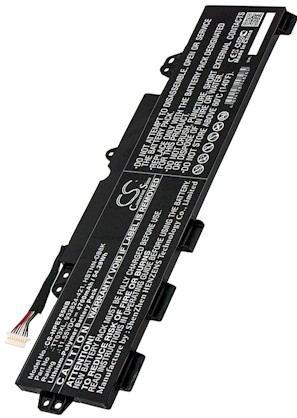
A healthy TomTom Go 920 should last through a normal drive on a full charge. When the cell ages, the unit may drop to a low battery warning within minutes, refuse to power on unless it is plugged in, or reboot when you turn on the bright screen. It can also feel warm while charging. Those symptoms point to a pack that no longer holds capacity, not a software problem.
Before buying, confirm the exact model. The TomTom Go 920 sits in the GO family, which shares a look with several siblings, so read the label on the back or the base and match it to the compatibility list on the product page. Note the part number on the original cell once you open the case. Getting the TomTom Go 920 identification right the first time avoids a return.

Getting the Case Open Safely
Unclip the TomTom Go 920 from its windscreen mount and any powered dock, then switch it off. Lay it face down on a soft cloth. A small Phillips or Torx driver, a plastic spudger, and a tiny container for screws are all you need. GO series housings combine screws with snap fit clips, so support the screen as you work and never twist a metal tool near the connector.
Once the fasteners are out, ease the spudger around the seam a little at a time until the back releases. Keep track of screw lengths, since they are not always identical. If a clip resists, stop and look for a hidden screw rather than prying harder. A patient opening keeps the TomTom Go 920 bezel and screen intact.
Fitting the New Pack and Testing Runtime
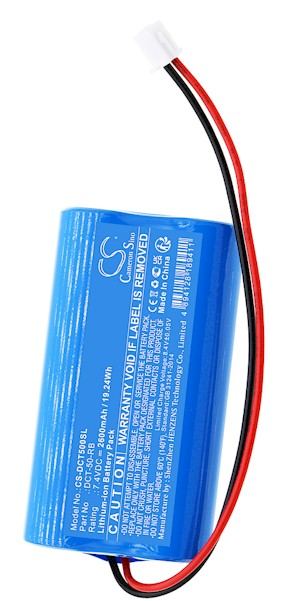
Inside, find the flat cell and its small plug. Lift the connector straight out, noting its orientation, then free the old pack from any adhesive or cradle. Set the replacement battery pack in the same spot, press the plug home, and route the wires clear of the case edges. Snap the TomTom Go 920 back together and reinstall the screws snugly, without overtightening.
Charge the unit fully before its first unplugged drive, then let it run down once to see honest runtime. If the TomTom Go 920 now lasts a full trip, the job is done. Recycle the old Li-ion cell at a local battery drop off, since lithium packs do not belong in household trash.
When a Swap Needs a Second Pair of Hands
If the TomTom Go 920 will not start after a full charge, reseat the connector and try again before assuming the pack is bad. Send us your model and part number through the Contact Us page if anything does not line up. When you are ready, browse compatible replacement battery packs and the chargers that keep a GO series unit ready.
Find the right replacement battery
Find a compatible replacement battery pack and charger for your TomTom Go 920 and keep every drive on course.
Frequently asked questions
Is the Go 920 battery the same as other GO models?
Not necessarily. TomTom GO units look alike but can use different cells and connectors, so match the part number from your old pack to the compatibility list. A same family battery is not a guarantee of fit, and confirming first saves you a return.
Can I keep using the car charger during the swap?
Unplug everything before you start. The TomTom Go 920 should be fully powered down and off its mount, since an active dock can feed power to the board while you disconnect the cell. Working on a dead unit protects both you and the electronics.
Will a new pack fix a slow satellite lock?
A weak battery can make a TomTom Go 920 behave oddly, but satellite acquisition is a separate function. If a fresh pack and a full charge do not improve the lock, the issue is likely elsewhere. A new cell still restores the runtime you were missing.
Related reading
Last reviewed by the batteries-company.com editorial team. Brand and model names are used to describe compatibility only; replacement packs are aftermarket products.
Editorial source: Q&A Collection 012 — “How do I replace the TomTom Go 920 battery” (FAQ #109). See the full collection-to-article map.

 Warehouse address: