

How to Replace the Garmin Nuvi 265WT Battery
A tired Garmin Nuvi 265WT battery will not hold a charge through a single drive, but a compatible replacement pack brings it back. For US shoppers, the swap is a straightforward way to keep a trusted GPS on the road instead of replacing the whole unit.
- Check the model label on the back of the unit before you order any Garmin Nuvi 265WT pack.
- A weak battery shows up as short runtime, sudden shutdowns, and a screen that dims on startup.
- A small Phillips screwdriver and a plastic pry tool are usually enough to open the case.
- Give the new cell a full first charge, then test real runtime before you trust it on a trip.
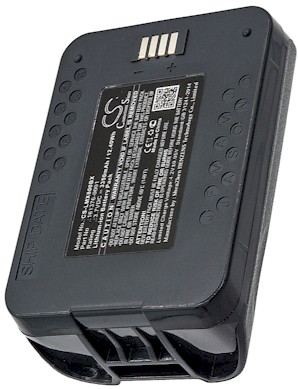
Signs the Garmin Nuvi 265WT battery needs replacing
If you are searching for how to replace a Garmin Nuvi 265WT battery, the symptoms usually come first. The unit may power up on the charger yet die within minutes on battery power, or it might shut down without warning mid-route. You may also notice that the screen takes longer to brighten or that the device forgets the time once unplugged.
Those are classic signs of a lithium-ion cell that has lost its ability to hold a full charge after years of heat and repeated cycles. Before you buy anything, confirm the exact model on the label under the unit and compare it with the part number printed on the old cell. Nuvi models share a slim housing, but the battery inside is not always identical across the family.

Tools and a clean workspace for the swap
Set aside a small Phillips screwdriver, a plastic pry tool or old guitar pick, and a soft cloth to protect the screen. Work on a well-lit table with a little tray for the tiny screws, since they are easy to lose. Power the Garmin Nuvi 265WT off completely and let it sit unplugged for a few minutes before you lift the first screw.
On this widescreen Nuvi, the screws often hide beneath the rubber feet or a small sticker on the rear housing, so peel those gently and keep them for reuse. Once the back cover lifts away, you will see the flat cell and its short wire lead. Take a photo of how the connector sits before you touch anything, which makes reassembly less stressful.
Fitting the new pack and testing runtime
Unplug the old lead by gripping the connector, not the wires, then seat the aftermarket replacement battery pack in the same orientation. The Li-ion battery pack should sit flat with no pressure on the screen or the case. Snap the housing back together, replace the feet, and resist the urge to power on until the first charge is complete.
Plug the Garmin Nuvi 265WT into its charger and let it reach a full charge before the first real use. Then run the unit on battery power around town and note how long it lasts compared with the old pack. If runtime is still poor, recheck that the connector is fully seated, and reach out to our support team if the problem continues.
Recycling and knowing when to ask for help
Do not toss the old cell in the household trash; most US communities accept rechargeable batteries at a local drop-off or mail-back program. If the housing will not close cleanly or the unit will not power on after a full charge, stop and contact us through the Contact Us page rather than forcing anything. A compatible pack is far cheaper than a new GPS.
Find the right replacement battery
Browse our compatible replacement battery packs and chargers to get your GPS back on the road today.
Frequently asked questions
How long does the Garmin Nuvi 265WT swap take?
Most people finish in well under an hour once the right pack is on hand. The delicate part is lifting the rear cover without cracking it, so plan to work slowly and keep the screws organized as you go.
Will a replacement pack work with my original charger?
A compatible aftermarket pack is built to charge through the unit's normal charger, so you generally do not need any extra equipment. Just confirm the voltage matches the original before you buy, and give the new cell a complete first charge.
What if the unit still will not hold a charge?
First reseat the connector and charge the pack fully, since a loose lead mimics a dead cell. If the Garmin Nuvi 265WT still fades quickly, contact our support team and we will help you check compatibility or arrange a return under the 30-day money-back guarantee.
Related reading
Last reviewed by the batteries-company.com editorial team. Brand and model names are used to describe compatibility only; replacement packs are aftermarket products.
Editorial source: Q&A Collection 006 — “How do I replace the Garmin Nuvi 265WT battery” (FAQ #103). See the full collection-to-article map.

 Warehouse address: