

How to Replace the TomTom GO 530 Battery
A TomTom GO 530 that dies minutes after unplugging usually needs a fresh compatible cell, not a whole new GPS. For US drivers, ordering the right replacement pack keeps a familiar unit working and saves the cost of a new device.
- Read the label on the back of the TomTom GO 530 before ordering a replacement cell.
- GO-series packs typically plug into a small socket, so there is no soldering to do.
- Work on a clear table and keep the tiny case screws in one small dish.
- A full first charge and a short road test confirm the new cell holds up.
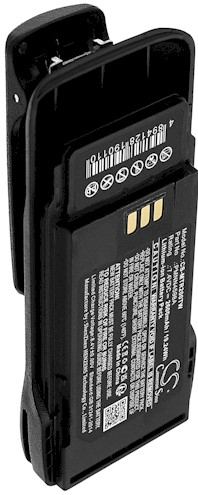
Confirm the TomTom GO 530 model before you order
If you are wondering how to replace a TomTom GO 530 battery, start by checking the exact model name printed on the bottom label. TomTom released several GO units that look nearly alike, and the internal cells are not always interchangeable. Match that model name and the part number on the old cell against the listing before you add anything to your cart.
A dying pack announces itself in a few familiar ways on this model. The TomTom GO 530 may shut off during a route even though the indicator looked full, or it may refuse to boot at all unless it is plugged in. You might also see the screen dim sooner than it used to, which is a sign the lithium-ion cell no longer holds a healthy charge.

Tools and setup for opening the GO case
Gather a small Phillips screwdriver, a plastic opening tool, and a soft cloth before you begin. Lay everything on a clean, well-lit surface and set a cup aside for the screws, because they are tiny and roll away easily. Switch the TomTom GO 530 off and unplug it, then give the unit a minute to settle before you remove the rear panel.
The GO family uses a back cover held by a few screws that sit under small rubber pads, so lift those gently with the pry tool and save them. With the cover off, you will find the flat cell attached by a short lead to a plug on the board. That plug is why the job suits a first-timer, since no soldering is required.
Fitting the new cell and closing the case
Unclip the old lead by holding the plug, then press the aftermarket replacement battery pack into the same space with the label facing up. The Li-ion battery pack should lie flat without pressing against the speaker or the screen cable. Guide the wires back into their channel, set the cover on, and tighten the screws in a cross pattern so the housing sits evenly.
Leave the unit off and let the TomTom GO 530 charge fully before its first trip, since a new cell often ships at a low state of charge. Afterward, navigate on battery power for a short drive and note how long it lasts. If the reading drops fast, reopen the case and confirm the plug is seated, or contact our support team for help.
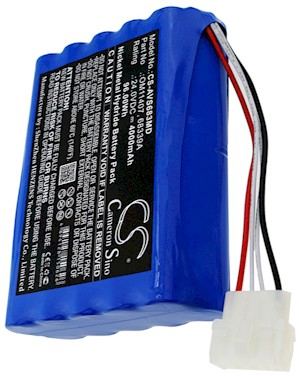
Recycling the old cell and getting help
Take the old lithium-ion cell to a US rechargeable battery drop-off or a mail-back program rather than the trash. If the cover will not sit flush or the unit stays dark after a full charge, stop and reach us through the Contact Us page instead of forcing the fit. A compatible replacement pack and the right charger will keep this GO on the road.
Find the right replacement battery
Explore our compatible replacement battery packs and chargers to get your TomTom back on the road with confidence.
Frequently asked questions
Do I need to solder the new TomTom GO 530 battery?
No soldering is needed on this model, because the cell connects with a small plug that pulls straight off the board. Match the connector shape and the part number to the replacement before you order, and the swap stays a simple plug-in job.
How can I be sure I am buying the correct pack?
Check the model name on the bottom label and the number printed on the original cell, then compare both with the compatibility list on the product page. If anything is unclear, our support team can confirm the match before you place the order.
What should I do with the old battery afterward?
Rechargeable cells belong at a battery recycling drop-off, not in household trash. Many US communities and retailers collect them, so tape the connector and hand it over on your next errand to keep the old pack out of a landfill.
Related reading
Last reviewed by the batteries-company.com editorial team. Brand and model names are used to describe compatibility only; replacement packs are aftermarket products.
Editorial source: Q&A Collection 014 — “How do I replace the TomTom Go 530 battery” (FAQ #110). See the full collection-to-article map.

 Warehouse address: