


A Careful Guide to Garmin Nuvi 610T Battery Replacement
The Garmin Nuvi 610T adds a built-in traffic receiver to the wide-screen design, and that extra feature is often the first thing a tired pack lets down. Here is how to confirm the model, do the swap, and get back to reliable guidance.
- The T means a built-in traffic receiver that draws from the same battery.
- Traffic updates may falter before basic navigation when a pack is weak.
- The 610T and 610 look alike, so confirm the exact label first.
- A full first charge and a real drive confirm the replacement works.
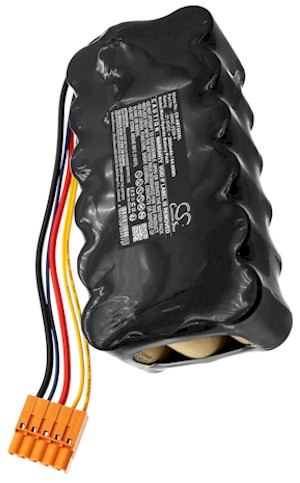
How a weak battery shows up on a 610T
The traffic feature is a useful early warning. Because this model powers a receiver for live updates, a fading cell often drops traffic data or reboots the unit before plain turn-by-turn navigation suffers. You may also see the screen dim, a low-battery warning after only a short drive, or a shutdown the moment the charger is unplugged.
Those quirks come from a Li-ion pack that can no longer hold a steady voltage under load, not from the maps or the traffic service. The Nuvi line is slimmer than older Garmin StreetPilot units, so the cell and its connector are specific to this family. Treat the symptoms as a sign the pack is tired rather than a software problem.

Confirming the exact model and part number
The 610T and the plain 610 share a case, which makes the label the deciding detail. Read the model and the part number printed on the back or bottom of the unit, then match both to the compatibility list on the product page. A pack listed for a 7xx Nuvi or a 610 without the T is not automatically right for this one.
Set up on a clean, soft cloth with good light and gather a small Phillips screwdriver, a plastic pry tool, and a dish for screws. Power the unit fully off and disconnect it from the car mount and charger before you begin, since Li-ion contacts should never be handled while the device is live.
Opening the case and fitting the new pack
Back out the case screws and work the pry tool gently around the seam until the shell releases, lifting slowly in case a ribbon cable is still attached. Unplug the old cell by gripping its connector, not the wires, and note how the lead is folded. Seat the replacement pack in the same recess, press the plug home, and close the housing with the original screws.
Give the unit a complete, uninterrupted first charge before you judge the new cell; a fresh Li-ion pack often needs one full cycle to report its true capacity. Then run the 610T on a normal drive with traffic active and watch how long it lasts. That single test is more useful than any spec sheet.
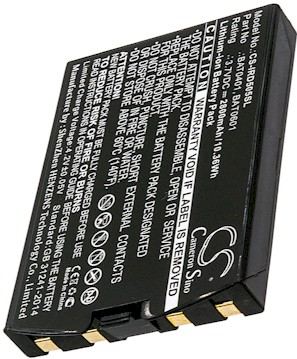
Testing, recycling, and when to ask
If you are asking how to tell if my Garmin Nuvi 610T battery needs replacing, short runtime and dropped traffic updates are the clearest clues. Recycle the old Li-ion cell at a rechargeable drop-off, and if the new pack will not seat, reach us through the Contact Us page. Every order is covered by a 30-day money-back guarantee and a 1-year warranty.
Find the right replacement battery
Find the compatible replacement battery pack and charger for your Garmin Nuvi 610T, and keep live traffic running all drive.
Frequently asked questions
Does the 610T take a different pack than the 610?
It can, so confirm the part number rather than guessing from the case. The T marks a traffic-enabled model, and internal cells sometimes differ between close variants. Match your exact model to the compatibility list or ask us through the Contact Us page.
Will traffic work right after the swap?
Once the new pack has a full charge, traffic should behave normally again, since a weak cell was often the real culprit. Take a short drive with the receiver active to confirm. If updates still drop, check the compatibility list or reach us through the Contact Us page.
How should I handle the old cell?
Tape the terminals and take the retired Li-ion pack to a rechargeable battery drop-off instead of the household trash. Many US retailers and community sites accept them. Keeping the old cell out of the bin is the responsible last step of any replacement.
Related reading
Last reviewed by the batteries-company.com editorial team. Brand and model names are used to describe compatibility only; replacement packs are aftermarket products.
Editorial source: Q&A Collection 143 — “How do I replace the Garmin Nuvi 610T battery” (FAQ #98). See the full collection-to-article map.
 Warehouse address: