


How to Replace a TomTom One XL Battery
A TomTom One XL that dies minutes after unplugging is showing its age, not a broken charger. A fresh compatible pack is an easy, low cost fix, and the slim ONE case comes apart with just a little care.
- The ONE line uses a slimmer shell, so gentle prying matters more than force.
- Write down the model and part number from the label before you shop.
- Keep the tiny screws in one spot so reassembly stays simple.
- Compare a full drive on the new pack against the old runtime.
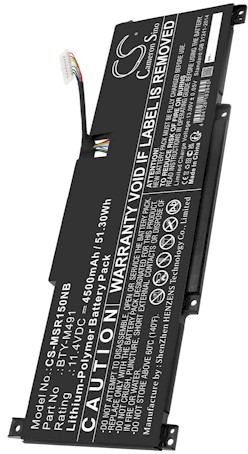
Recognizing a Worn Out Cell
The first clue is usually a shrinking window of use away from the car adapter. A TomTom One XL might report a full charge, then go dark before you reach the highway, or it may lose its saved settings after a short trip. Heat, age, and hundreds of charge cycles slowly reduce how much energy the pack can hold, and no amount of extra charging brings that back.
None of those symptoms mean you need a new device. They point to a single tired component that was designed to be replaced. Once you accept that, the job becomes a careful parts swap rather than an electronics repair, which is well within reach for a patient first timer.

Verify the Model and Set Up
Turn the unit over and copy the model name and battery part number from the rear sticker into your notes. The ONE family includes several lookalike units, so the TomTom One XL is easy to confuse with a plain ONE. If you have been searching how to change the battery in a TomTom One XL, that exact label is your best defense against ordering a cell that almost fits.
Clear a table, lay down a soft cloth, and gather a small Phillips screwdriver plus a plastic pry tool. Good light helps more than any specialty gadget here. Power the unit off, unplug every cable, and give it a minute to settle before you touch a screw.
Open the Slim Case and Swap the Pack
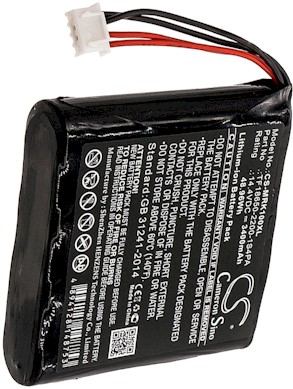
Ease the pry tool along the seam a little at a time, because the compact ONE housing uses tight plastic clips that crack under a hard twist. Lift the back slowly and set it aside, then free the old connector with the tool rather than tugging the wires. Guide the spent cell out of its adhesive and lower a compatible aftermarket replacement battery pack into the same footprint.
Press the connector until it sits flat and even, with no wire pinched under the edge. Reconnect, then give the unit a full initial charge with the screen off before you close anything. That first slow charge lets you confirm the pack is healthy while the case is still open and easy to recheck.
Reassemble, Test, and Recycle
Once the charge completes, snap the halves together and tighten the screws in a crisscross pattern so the shell seats evenly. Run a normal route on the TomTom One XL using battery power alone and note the runtime. Carry the old cell to a recycling point, and if the plug resists or the numbers stay poor, contact our support team rather than forcing the board.
Find the right replacement battery
Find compatible replacement battery packs and chargers for TomTom ONE devices, and choose the correct fit for your daily commute.
Frequently asked questions
How can I be sure I ordered the right pack?
Match both the model name and the battery part number from the rear label against the listing before you buy. The ONE series has several similar shells, so the label matters more than a photo. If anything looks uncertain, send us the numbers and we will help you confirm the fit.
Will opening the case affect my saved places?
Usually not, but it is smart to note your favorites and home address before you start, since any repair can interrupt power. A fresh pack behaves just like the original once installed. Keeping a quick written backup costs nothing and removes one more thing to worry about.
What if the new pack seems to charge too fast?
A short first charge can happen when a smart gauge needs a full cycle to calibrate. Leave it on until full, then use the unit normally and watch the runtime rather than the indicator alone. If it still drops quickly after two or three outings, reach out and we will troubleshoot it with you.
Related reading
Last reviewed by the batteries-company.com editorial team. Brand and model names are used to describe compatibility only; replacement packs are aftermarket products.
Editorial source: Q&A Collection 019 — “How do I replace the TomTom One XL battery” (FAQ #115). See the full collection-to-article map.
 Warehouse address: