

A Practical Guide to a Magellan Maestro 4250 Battery
When a Magellan Maestro 4250 loses charge mid-route, the aging internal cell is almost always the cause, and a fresh compatible pack brings the unit back. If you came here looking for how to replace a Magellan Maestro 4250 battery, the steps below keep the job calm and predictable.
- Maestro units share a slim internal pack, but the 4250 needs its exact part number.
- Confirm the model on the underside label before opening a single screw.
- A compatible aftermarket replacement battery pack restores runtime without buying a new GPS.
- A full first charge and a real drive test prove the swap worked.
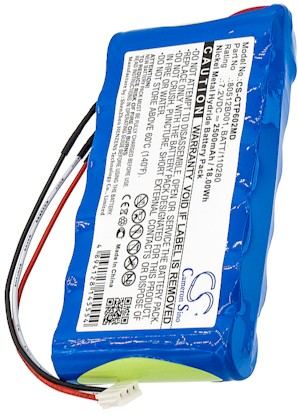
Read the Label First, Then Gather Tools
Start differently than you might expect: turn the Magellan Maestro 4250 over and read the underside label before touching a screw. Note the full model name and the part number printed on the original cell. The Maestro line is a family of wide-screen automotive units, and sibling models can use a different pack. Writing those details down is what keeps the replacement order accurate.
Set up a clean, static-free surface with a small Phillips screwdriver, a plastic spudger, and a tray for screws. Power the Magellan Maestro 4250 down and give it a moment to rest. Have a soft cloth under the screen so the face never scuffs while you work. Good lighting matters more here than speed, because the internal connector is tiny.

Open the Case and Free the Old Cell
Remove the rear screws and ease the back shell away with the spudger, working around the seam a little at a time. Inside the Magellan Maestro 4250 you will find a thin cell held by light adhesive or a foam pad. Lift the connector straight up rather than pulling the wires, then peel the old pack free. Note its orientation so the new one sits the same way.
Seat the replacement pack in the same position, press the connector until it lies flat, and tuck the wires into their channel. Close the shell and snug the screws without overtightening. Before the first drive, give the Magellan Maestro 4250 a complete charge so the new cells can settle.
Test Runtime and Recycle Responsibly
A new pack often needs two or three full charge and discharge cycles before it reaches steady runtime, so judge the Magellan Maestro 4250 after a normal week rather than one short trip. Plan a familiar route with the screen at your usual brightness and watch how long navigation stays up. If the unit holds a charge and acquires satellites quickly, the swap is a success.
Take the old cell to a proper battery recycling point instead of the trash, since lithium packs deserve a dedicated waste stream. Should the Magellan Maestro 4250 still fade after a full charge, pause and message the team through Contact Us with your model and part number.
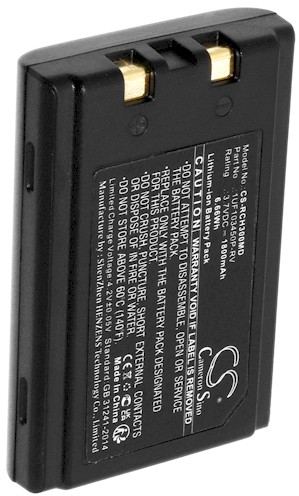
Choosing the Correct Pack
Browse replacement battery packs and chargers listed for the Magellan Maestro 4250 and match the part number you recorded. Every pack is a brand new, 100% compatible aftermarket replacement covered by a 30-day money-back guarantee and a one-year warranty for US shoppers.
Find the right replacement battery
Find replacement battery packs and chargers matched to your Magellan Maestro 4250 and get back on the road with confidence.
Frequently asked questions
How can I tell the battery is failing?
A Magellan Maestro 4250 that dies soon after a full charge, powers off while navigating, or refuses to run unplugged is showing a tired internal cell. Test with a known-good charger first, since a loose cable can mimic the same symptoms, before you decide to replace the pack.
Will a Maestro 4250 pack fit other Maestro models?
Not always. The Magellan Maestro 4250 uses a specific cell shape and connector, and nearby Maestro models may differ. Compare the part number from your underside label with the compatibility notes on the listing, or ask our team to verify the match before ordering.
Is this swap hard for a first-timer?
It is manageable with patience. A small Phillips screwdriver, a plastic spudger, and a clean table cover the Magellan Maestro 4250. Move slowly along the seam, keep screws in a tray, and avoid metal tools near the board. Most owners finish without any special electronics experience.
Related reading
Last reviewed by the batteries-company.com editorial team. Brand and model names are used to describe compatibility only; replacement packs are aftermarket products.
Editorial source: Q&A Collection 021 — “How do I replace the Magellan Maestro 4250 battery” (FAQ #117). See the full collection-to-article map.

 Warehouse address: