


Swapping the Battery in a TomTom Go 920T
The TomTom Go 920T adds a built-in traffic receiver, which draws extra power and makes a tired cell obvious on longer drives. A compatible replacement pack brings back steady runtime for both navigation and live traffic.
- Traffic reception draws extra power, so a weak TomTom Go 920T cell fades sooner on long trips.
- Confirm the T model and part number on the rear label before ordering.
- Unplug the mount and dock before opening the GO series housing.
- A full first charge plus a route test confirms true runtime after the swap.
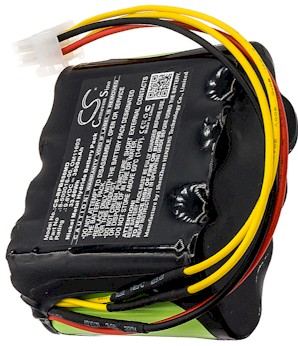
Why the T model strains a weak cell
The T in the name marks a built-in traffic receiver, and that extra radio work pulls more current than plain navigation. On the TomTom Go 920T, an aging cell tends to show itself as early shutdowns during a commute, dimming on the highway, or a battery gauge that drops in jumps. Owners often notice the problem first on longer drives rather than short errands.
It helps to know where this unit sits in the lineup. The GO family was built as a full-size dash navigator, quite different from the compact TomTom ONE, and the 920T shares its slim shell with the x20 generation while adding traffic hardware. That means the internal pack is shaped for this housing, so match the part number rather than grabbing any GO series cell.

Confirm the model and set up
Before you start, read the model and part number on the rear label and compare it with the settings screen. Then plan the first charge: a fresh pack needs a complete initial charge before you judge runtime, so set the unit on the dock once the swap is done. Gather a small Phillips screwdriver, a plastic spudger, and a soft cloth.
Power the device off, remove it from the windshield mount, and unplug the car adapter. Work on a clean table with a tray for screws, and discharge static on an unpainted metal edge. Keeping the dock and cables out of the way makes it easier to handle the small connector inside.
Disconnecting the old pack
For anyone searching how to replace a TomTom Go 920T battery, the swap itself is straightforward once the case is open. Release the rear clips with the spudger, lift the cover, and gently unplug the old cell by holding the connector, not the wires. Seat the new compatible pack in the same direction, press the plug fully home, and close the shell without pinching the ribbon cable.
Take care around the traffic antenna area near the top of the housing. If the old plug has a small latch, release it before pulling. A patient hand protects both the board and the fresh pack, which is brand new and fully compatible with the unit.
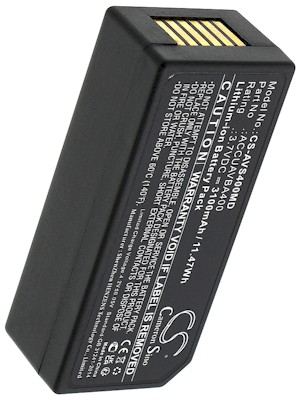
Charge, test, and recycle
Give the TomTom Go 920T a full first charge, then run a familiar route with traffic enabled and note the runtime. Recycle the old lithium cell at a local drop-off. If the case resists or performance stays poor, our Contact Us page, Battery FAQs, and Battery Guides can help, and every pack is covered by a 30-day money-back guarantee and a 1-year warranty.
Find the right replacement battery
Browse compatible replacement battery packs and chargers for your GO traffic navigator and keep every commute reliably powered.
Frequently asked questions
Does traffic really drain the battery faster?
It can. A live traffic receiver stays active while you drive, so a healthy pack matters more than on a basic navigator. If runtime collapsed over a few months, the cell is the likely cause rather than the traffic feature itself.
Can I keep using my car mount?
Yes. A compatible replacement pack fits the original dock and mount with no changes. Inspect the adapter cable for wear while you have everything apart, since a frayed cord can mimic a weak battery.
Should I charge before or after installing?
Install first, then give the pack a complete charge on the dock before a real drive. A full initial charge lets the electronics calibrate their runtime reading, so the gauge you see afterward is trustworthy.
Related reading
- A Practical Guide to a Magellan Maestro 4250 Battery
- How to Replace the Garmin StreetPilot C330 Battery
- How to Replace a Garmin StreetPilot C340 Battery Step
- Replacing a Garmin StreetPilot C530 Battery
- Replacing a Garmin StreetPilot C550 Battery the Right Way
- How to Check the Status of Your Battery Order
Last reviewed by the batteries-company.com editorial team. Brand and model names are used to describe compatibility only; replacement packs are aftermarket products.
Editorial source: Q&A Collection 016 — “How do I replace the TomTom Go 920T battery” (FAQ #112). See the full collection-to-article map.

 Warehouse address: