

What to Do When a New Battery Will Not Charge
A new pack often arrives with only a partial charge, so a full initial charge and a little patience usually solve it. Seating the battery and reseating it on the charger clears most early false alarms for US buyers.
- New packs commonly ship partly discharged and need a full first charge.
- Mild warmth while charging is normal for lithium based cells.
- A charger can stop early until the smart gauge learns the new pack.
- Reseat the battery and check the contacts before assuming a fault.
Why a Fresh Pack Seems Reluctant
Rechargeable batteries are commonly shipped in a discharged or partly charged state, so a new one may not spring to life the instant you plug it in. That is expected, not a defect. Give it a complete initial charge before you judge performance, and follow the charging guidance in your device manual for the specifics of that model.
If you have been asking why a brand new replacement battery will not charge, the usual cause is simply that it has never been fully charged yet. A smart charger and a new pack sometimes need a cycle or two to agree on a full reading. Mild warmth during charging and use is normal, and on its own is nothing to worry about.

A Simple First Charge Routine
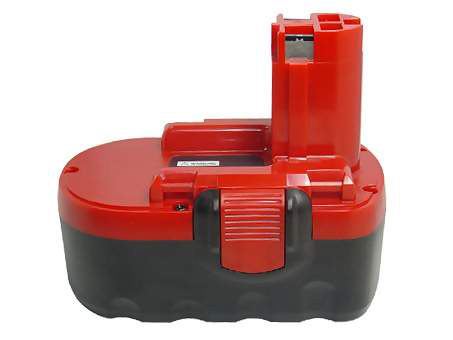
Set the device or charger on a hard, cool surface out of direct sun, seat the pack firmly, and let it charge until the indicator reads full. For a cordless drill battery, confirm the pack clicks all the way into the charger base; for a laptop, check that the adapter and contacts are clean. Avoid interrupting that first session repeatedly, since a clean baseline makes later runtime easier to read.
Do not run a lithium pack down to empty on purpose to condition it. Deep discharge stresses modern cells and shortens their life, so ordinary use after a full charge is the better habit. Watch the actual runtime over the next few outings rather than trusting a single gauge reading from day one.
When the Charger Stops Early
Some devices stop charging a new pack before it is truly full, because the gauge has not yet learned the cell. If that happens, remove an external battery and reseat it, then let the cycle begin again. It may repeat once or twice early on, and built in packs simply need a normal uninterrupted session with the correct adapter.
Also check the simple things: a loose connection, dusty contacts, or an outlet that is not live. A power tool battery charger that is not rated for your pack will not charge it correctly either, so use the charger meant for that device. These quick checks resolve far more cases than any elaborate troubleshooting.
Knowing When to Ask for Help
If a pack still will not take a charge after a full overnight session on the right charger, stop and contact our support team. Keep the device model, the pack, and the order details handy so we can help fast. The 1-year warranty and the 30-day money-back guarantee are both explained on the site, so a genuine problem has a clear path forward.
Find the right replacement battery
Browse compatible replacement batteries and the right power tool battery charger, and start your next project with a dependable pack.
Frequently asked questions
Is warmth during charging a problem?
A little warmth while a lithium pack charges or works hard is normal, especially on the first full cycle. Swelling, a sharp odor, or a case that will not close is not. If you notice any of those, stop using the pack and get in touch rather than continuing to charge it.
Do I need to cycle a new battery several times?
An old style deep conditioning routine is not needed for modern lithium cells. A full initial charge followed by normal use is enough, and repeatedly draining the pack to empty does more harm than good. Pay attention to real runtime over the next few charges instead.
What if my charger shows full too quickly?
A smart gauge sometimes needs a cycle to read a new pack accurately. Reseat an external battery and let the charge start again, or give a built in pack one uninterrupted session. If it still reports full after minutes and dies immediately, contact us and we will troubleshoot it with you.
Related reading
Last reviewed by the batteries-company.com editorial team. Brand and model names are used to describe compatibility only; replacement packs are aftermarket products.
Editorial source: Q&A Collection 083 — “My New Battery Will Not Charge” (FAQ #42). See the full collection-to-article map.

 Warehouse address: