


How to Replace a Garmin Nuvi 265 Battery
A dying Garmin Nuvi 265 battery usually means shorter runtimes and a screen that quits mid route. Swapping in a fresh compatible pack is straightforward, and doing it right gets you back to dependable turn by turn guidance.
- Weak runtime and sudden shutdowns are the classic signs of a worn GPS cell.
- Confirm the exact model and part number on the back label before you order.
- A plastic pry tool and a small Phillips screwdriver cover almost every step.
- Charge fully first, test real runtime, and recycle the old cell responsibly.
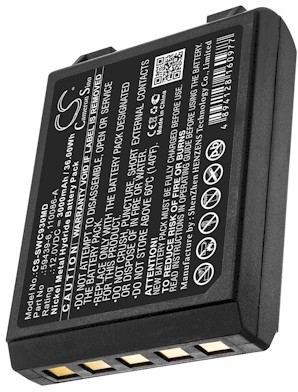
Spotting a Tired Garmin Nuvi 265 Battery
Most owners notice the problem slowly. The Garmin Nuvi 265 starts holding less charge between trips, then drops from a full icon to empty in minutes. It may also shut down when you unplug the car adapter, even though the screen showed plenty of life a moment earlier. Those are the everyday signs of a pack that has reached the end of its useful charge cycles.
Before you buy, flip the unit over and read the label on the back housing. Note the exact model name and any battery part number printed there, because the same Nuvi shell was sold with a few internal variations. If you have ever wondered how to change the battery in a Garmin Nuvi 265, that part number is the detail that keeps you from ordering the wrong cell.

Tools and a Clean Workspace
Set up on a well lit table with a soft cloth so the screen faces down and nothing scratches. You will want a small Phillips screwdriver, a plastic pry tool, and a bit of patience. Keep a small dish for the tiny screws, which are easy to lose. Power the Garmin Nuvi 265 off completely and let it sit unplugged for a few minutes before you start.
Work slowly around the seam of the case with the pry tool rather than forcing one spot. The two halves of this Nuvi family are held by clips as well as screws, so a gentle, even pressure works better than a hard twist. Once the back lifts free, set it aside and locate the small connector that joins the old pack to the board.
Fitting the New Pack and First Charge
Ease the old connector out with the pry tool, never by tugging on the wires themselves. Lift the spent cell from its adhesive bed and set the fresh compatible pack in the same orientation, pressing the connector home until it sits flush. Because this is an aftermarket replacement battery pack built for the Garmin Nuvi 265, the footprint and plug should line up without trimming or tape.
Before closing the case, reconnect everything and give the unit a full initial charge with the screen off. Once it reaches full, run the navigator on battery power alone and note how long a normal drive lasts. A healthy pack should comfortably outlast the old one, and that real world runtime is the simplest proof the swap worked.
Recycling and When to Ask for Help
Take the old cell to a local electronics or battery drop off rather than the household trash, since lithium packs belong in a proper recycling stream. If the new connector will not seat, the case will not close, or the unit still dies quickly after a full charge, stop and contact our support team. A quick question early is easier than forcing a delicate board.
Find the right replacement battery
Browse our compatible replacement battery packs and chargers for Garmin navigators, and order the right fit for your next drive.
Frequently asked questions
How long should the new pack last on a charge?
Runtime depends on screen brightness and how often the unit recalculates a route, but a fresh pack should clearly beat the tired one you removed. Track a typical drive after the first full charge and use that as your baseline. If it fades over the following weeks, get in touch.
Do I need special tools for this swap?
Nothing exotic. A small Phillips screwdriver and a plastic pry tool handle the screws and the clipped case, and a soft cloth protects the screen while you work. Set the tiny screws in a dish so they do not wander, and give yourself good light and a clear table.
Can I drive with the unit while it charges?
Yes, but for the first cycle it is better to let the new pack reach full with the screen off and the unit resting. That gives you a clean baseline for runtime. After that, normal use on the car adapter is fine, just as it was with the original battery.
Related reading
Last reviewed by the batteries-company.com editorial team. Brand and model names are used to describe compatibility only; replacement packs are aftermarket products.
Editorial source: Q&A Collection 003 — “How do I replace the Garmin Nuvi 265 battery” (FAQ #100). See the full collection-to-article map.
 Warehouse address: