

Replacing the Garmin Nuvi 310T Battery at Home
This navigator is a slim automotive navigator with an internal Li-ion cell, so there is no battery door. If you are looking up how to replace a Garmin Nuvi 310T battery, a brand new compatible pack, a plastic pick, and patience will bring back its runtime.
- The Nuvi line uses a sealed slim case, not a latched battery door.
- Confirm the Garmin Nuvi 310T part number on the back label first.
- A dying pack shuts the unit down minutes after leaving the car adapter.
- Recycle the old cell locally and give the new pack a full first charge.
Signs the Cell Is Worn Out
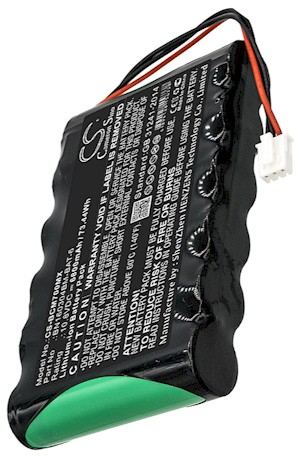
The telltale sign is a Garmin Nuvi 310T that works perfectly on the car adapter and goes dark within minutes of being unplugged. You may also see the charge icon stall below full, or the unit restart itself when the voltage dips on a cold morning. Those point to a Li-ion cell that has lost capacity after years of charge cycles, not to the maps or the mount.
Rule out the charger before you open anything. Plug into a known-good adapter, let the unit sit, and if it still will not hold a charge the cell is the culprit. The 310T also carries a traffic receiver, so a loose power lead at the mount can imitate a dead battery. Settle the diagnosis first and you will not waste an afternoon on the wrong fix.

Workspace, Tools, and the Right Part
Set up on a soft cloth under good light with a small Phillips driver, a plastic opening pick, and a dish for screws. Unlike the older StreetPilot units, the Nuvi family has no user battery door, so a gentle pry around the seam is the only way in. Turn the device over and copy the exact model and part number from the rear label before you order anything.
Matching that number to a compatible replacement battery pack is the single most important step, since connectors differ even within one product line. Take a photo of the label and keep the old cell until the new one is tested. Our product pages list which packs and chargers suit the Garmin Nuvi 310T, so compare rather than guess by looks.
Opening the Slim Case and Fitting the Pack
With the unit powered off, ease the plastic pick around the seam a little at a time until the clips let go, then lift the back slowly because the battery lead is still connected. Grip the small white plug rather than the wires, draw the old cell out, and seat the new pack in the identical orientation. Press the connector home and tuck the lead into its channel before closing.
Power the unit on briefly to confirm it sees the new cell, then snap the halves together and refit the screws without overtightening. Do not force a case that will not sit flush; a pinched lead is usually the reason. Give the pack a full first charge before you judge it, since a fresh Li-ion cell needs a couple of cycles to settle in.
Runtime Check, Recycling, and Support
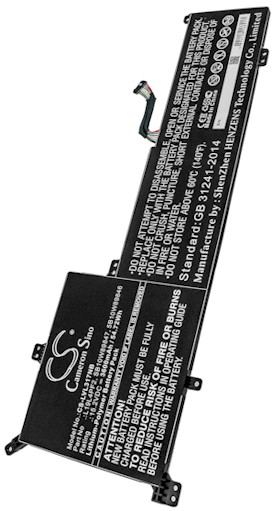
Take the navigator on a normal unplugged drive and time how long it lasts, then recycle the old cell at a local battery drop-off rather than the household trash. If the connector will not match, the case will not close, or the unit stays dark, stop and reach our team through Contact Us. We can confirm you have the right part and charger.
Find the right replacement battery
Browse compatible replacement battery packs and chargers for the Garmin Nuvi 310T and get back to confident navigation.
Frequently asked questions
Is there a battery door on the Nuvi 310T?
No. The Nuvi family uses a slim sealed housing with an internal cell, unlike the older StreetPilot units that had a latched compartment. You reach the pack by easing the rear case open with a plastic pick. If your unit seems to have a door, double-check the model label first.
Will my saved favorites survive the swap?
Usually yes, since the maps and favorites live in internal storage, but a quick backup to a computer is cheap insurance on a unit this age. After the first full charge, check the clock and your saved places once. A soft reset settles anything that looks out of place.
Can I use a StreetPilot battery instead?
It is not a safe assumption. The StreetPilot line is larger and uses a different tray and connector, so its pack will not fit the slim Nuvi case. Order against the part number on your own cell, and choose a pack listed for the 310T specifically rather than the family name.
Related reading
Last reviewed by the batteries-company.com editorial team. Brand and model names are used to describe compatibility only; replacement packs are aftermarket products.
Editorial source: Q&A Collection 138 — “How do I replace the Garmin Nuvi 310T battery” (FAQ #93). See the full collection-to-article map.

 Warehouse address: