

How to Replace the Garmin Nuvi 680 Battery
When a Garmin Nuvi 680 drops from full to empty in minutes, the internal cell is usually the culprit rather than the whole unit. For US drivers, a brand new compatible pack restores reliable navigation and keeps the familiar screen, mounts, and saved places right where you left them.
- The Nuvi 680 belongs to the widescreen 6xx Nuvi family.
- Read the underside label to confirm you have a 680, not a sibling model.
- A sleepy screen and sudden shutdowns are classic worn-cell signs.
- Charge the new cell fully, then verify runtime on a real drive.
How a weak cell shows up on this model
If you landed here asking how to replace a Garmin Nuvi 680 battery, the warning signs probably brought you. A tired pack lets the unit run on the car adapter but fade within minutes once it is unplugged, or it may shut down without warning mid-route. You might also catch the display dimming early or the clock resetting after a night off power.
Those behaviors point to a lithium-ion cell that has simply lost capacity after many charge cycles and summers in a warm car. Before you shop, turn the Garmin Nuvi 680 over and copy down the exact model name and the number printed on the original cell. The 6xx family shares a look, but the battery inside is not guaranteed to be identical across every variant.

Confirming the model and preparing your space
Match the part number on the old cell with the compatibility notes on the product page, since that is the surest way to get the right fit. Then clear a clean, well-lit table and set out a small Phillips screwdriver, a plastic pry tool, and a cup for the tiny screws. A soft cloth under the screen keeps the finish protected while you work.
Power the unit completely off and give it a minute unplugged before the first screw comes out. On feature-rich Nuvi models there can be extra cabling near the rear housing, so lift the cover slowly and never tug a ribbon cable. Take a photo of the connector and wire path as soon as the case opens, which makes putting it back much easier.
Opening the case and seating the new cell
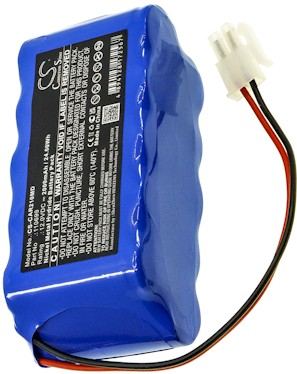
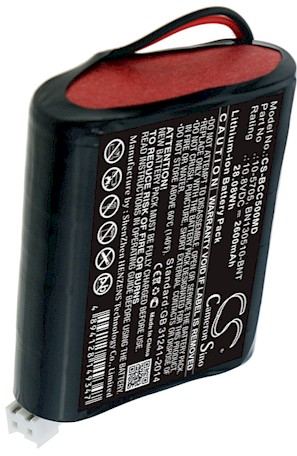
The case screws on this shell often sit under small rubber feet, so ease those up with the plastic tool and keep them for reuse. Once the rear cover is free, unplug the old lead by holding the connector, not the wires. Lower the aftermarket replacement battery pack into the same bay and settle the Li-ion battery pack flat before you guide the lead into its channel.
Press the connector until it is snug, set the cover back on, and tighten the screws in a cross pattern so the housing closes evenly. Do not power the unit on yet. A new cell commonly ships with a low partial charge, so the first full charge should happen before any real use.
First charge, runtime check, and recycling
Set the Garmin Nuvi 680 on its charger until it reaches full, then navigate on battery power for a familiar drive and note the runtime. Take the old cell to a US rechargeable battery drop-off instead of the trash. If the unit stays dark or fades fast, stop and reach us through the Contact Us page rather than forcing the case.
Find the right replacement battery
Shop compatible replacement battery packs and chargers to bring your Garmin Nuvi 680 back to daily service.
Frequently asked questions
Is the Nuvi 680 the same inside as other 6xx models?
They share a similar widescreen shell, but the internal cell and cabling can differ between variants, so never assume two look-alike units take the same pack. Read the underside label and match the part number on the old cell to the listing before you order.
Do I need any special tools for the swap?
A small Phillips screwdriver, a plastic pry tool, and a cup for the screws cover most of the job, along with a soft cloth for the screen. A phone camera for a quick photo of the wiring is helpful too, and most people already have one.
Why does the new pack need a full first charge?
Replacement cells are shipped at a low state of charge for safe transport, and a complete first session lets the electronics calibrate the runtime reading. Skipping it can leave the percentage looking odd for the first few cycles, even though the cell itself is perfectly fine.
Related reading
Last reviewed by the batteries-company.com editorial team. Brand and model names are used to describe compatibility only; replacement packs are aftermarket products.
Editorial source: Q&A Collection 142 — “How do I replace the Garmin Nuvi 680 battery” (FAQ #97). See the full collection-to-article map.

 Warehouse address: